



Blog Summary
Undeposited funds is one of the most misunderstood accounts in QuickBooks — and one of the most common sources of balance sheet inflation in client files.
In this guide:
- What the undeposited funds account is and why QBO uses it
- Why amounts build up in this account and what it means for the balance sheet
- How to identify and clear old undeposited funds correctly
- The most common mistakes that cause the problem to keep recurring
- How to catch undeposited funds issues automatically before they compound
A client's bank statement shows $42,000. Their QuickBooks balance sheet shows $58,000 across cash and cash equivalents. The difference is $16,000 sitting in undeposited funds — customer payments recorded as received but never matched to a bank deposit in the system.
This is one of the most common balance sheet discrepancies in QBO files. It is not a complicated problem. But it is one that hides in plain sight, compounds month over month, and — if nobody is checking — can persist for years without anyone noticing.
The undeposited funds account is the source. This guide explains what it is, why it builds up, and exactly how to clear it.
Part of our complete guide: complete QuickBooks bookkeeping guide
What Is the Undeposited Funds Account in QuickBooks?
The undeposited funds account in QuickBooks is a clearing account — a temporary holding place for customer payments that have been received and recorded but have not yet been matched to a bank deposit.
Think of it as a virtual cash drawer. When a customer pays an invoice, the payment goes into the undeposited funds account first. When you make the bank deposit and match it in QBO, the funds move from undeposited funds to the actual bank account. At that point, the undeposited funds account should be zero for that transaction.
The correct payment flow in QBO:
When this flow works correctly, the undeposited funds account stays at or near zero at all times. When step 3 is skipped — or done incorrectly — payments pile up in undeposited funds indefinitely.
Why Does QuickBooks Use Undeposited Funds?
QuickBooks uses the undeposited funds account to handle a real-world scenario: you often receive multiple customer payments throughout the week and deposit them all at once in a single bank deposit.
Without a clearing account, each individual payment would need to be matched directly to the bank deposit — which is difficult when your bank shows one deposit of $4,500 but QBO has three separate payments of $1,200, $800, and $2,500 that were all deposited together.
The undeposited funds account solves this by holding all three payments until you create a single bank deposit in QBO that groups them together — matching the one $4,500 deposit on the bank statement.
The problem: Many users — and some bookkeepers — do not understand this workflow. They receive payments, record them in QBO, and stop there. The funds sit in undeposited funds because nobody completes step 3.
Who Is Responsible for Managing Undeposited Funds?
Managing the undeposited funds account correctly is a bookkeeping responsibility — not the client's.
In most CPA firm workflows, the bookkeeper is responsible for:
- Recording customer payments when they arrive
- Creating bank deposits in QBO that match the actual bank deposits
- Ensuring the undeposited funds account clears after each deposit cycle
- Investigating any amounts in undeposited funds older than 30 days
The senior accountant or reviewer should check the undeposited funds balance as part of the monthly close review. A non-zero balance at month-end that is not explained by current-period deposits is a flag that needs investigation before the close is finalized.
When Does Undeposited Funds Become a Problem?
Undeposited funds becomes a problem the moment the balance contains amounts older than the current deposit cycle — typically more than 30 days.
The three scenarios that cause buildup:
Scenario 1: Payments recorded without completing the deposit stepThe bookkeeper records a customer payment in QBO (debit Undeposited Funds, credit AR) but never creates the corresponding bank deposit entry. The payment sits in undeposited funds forever.
Scenario 2: Payments entered twice — once manually, once from bank feedA customer payment is manually recorded in QBO when the payment arrives, then the same amount comes in through the bank feed and gets matched to a new bank deposit. The manual entry is now an orphan in undeposited funds.
Scenario 3: Payment method bypasses the correct workflowCredit card payments through payment processors (Stripe, Square, PayPal) sometimes get recorded directly to income rather than flowing through undeposited funds — and then the bank feed imports them again, creating a duplicate.
Once these amounts are in undeposited funds without a corresponding bank deposit to clear them, they stay there until someone investigates and fixes each one.
How Undeposited Funds Distorts the Balance Sheet
The undeposited funds account appears as an asset on the balance sheet — specifically under current assets, alongside cash and accounts receivable.
When the undeposited funds account has a large, old balance, the balance sheet is overstating assets. The business appears to have more cash-equivalent assets than it actually does.
Example:
In this example, total current assets are the same but the composition is wrong. The $18,000 in undeposited funds represents payments that were already collected from customers (so AR should be lower), but the bank deposit was never recorded (so checking account is not higher). The money is not missing. It is sitting in the wrong account, and the bank account is understated by the same amount.
For businesses that use their balance sheet for lending decisions or covenant compliance, this kind of distortion has real consequences. A lender looking at a current ratio that includes $18,000 in stale undeposited funds is working from inaccurate data.
How to Find Undeposited Funds Issues in a QBO File
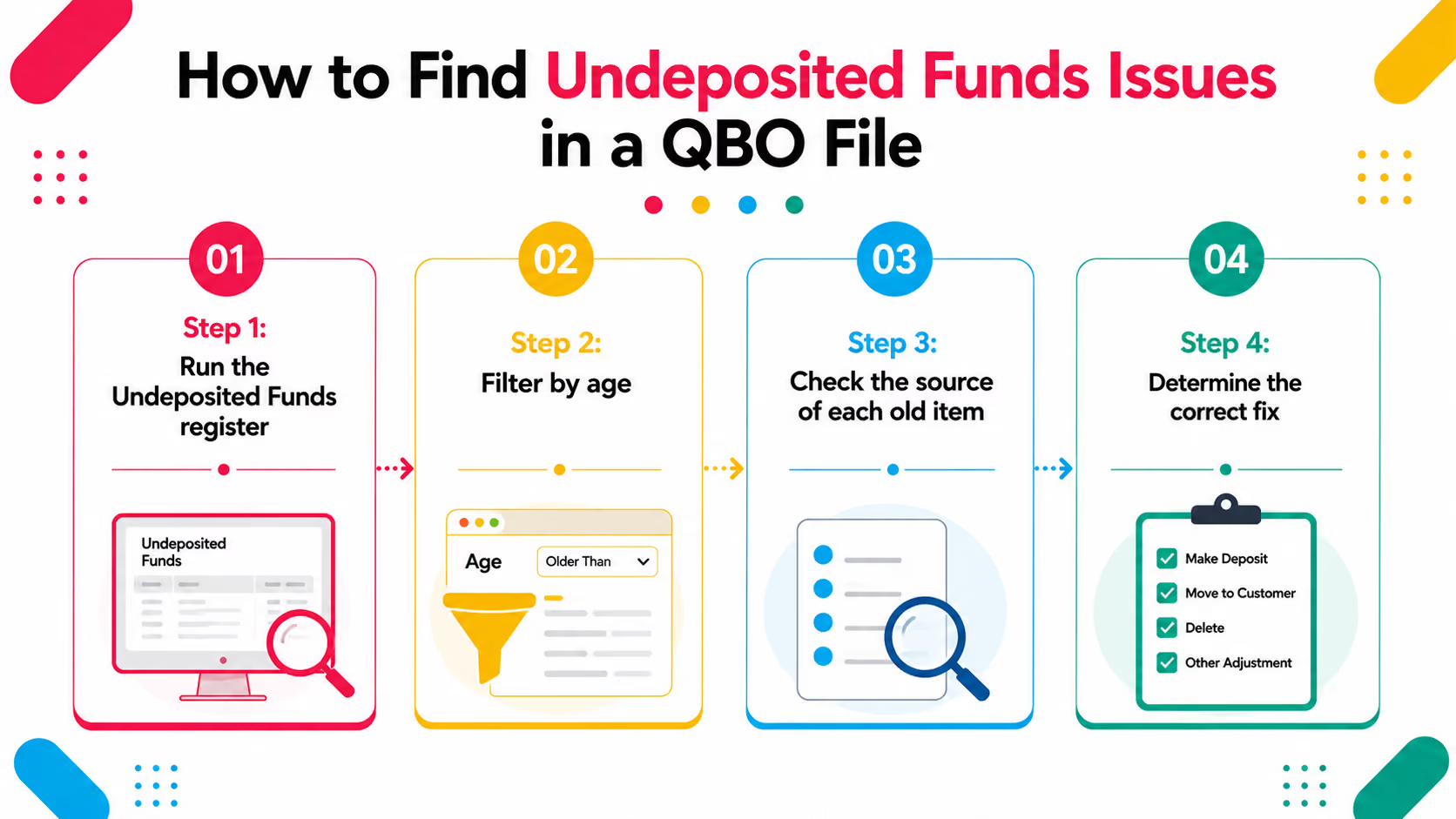
Step 1: Run the Undeposited Funds registerIn QBO: Transactions → Chart of accounts → find Undeposited Funds → click View register. This shows every transaction currently sitting in the account with its date and amount.
Step 2: Filter by ageSort the register by date. Any transaction older than 30 days needs investigation. Anything older than 60 days is almost certainly an error or an orphaned entry.
Step 3: Check the source of each old itemFor each old entry, find the original invoice and payment. Check whether the corresponding bank deposit was ever made. Look at the bank statement for the matching deposit amount and date.
Step 4: Determine the correct fix- If the payment was received and deposited but never matched in QBO → create a bank deposit entry to clear the undeposited funds- If the payment was recorded twice → delete or void the duplicate entry- If the payment was never actually received → void the payment record and restore the invoice to open
How to Clear Undeposited Funds in QuickBooks Online: Step by Step
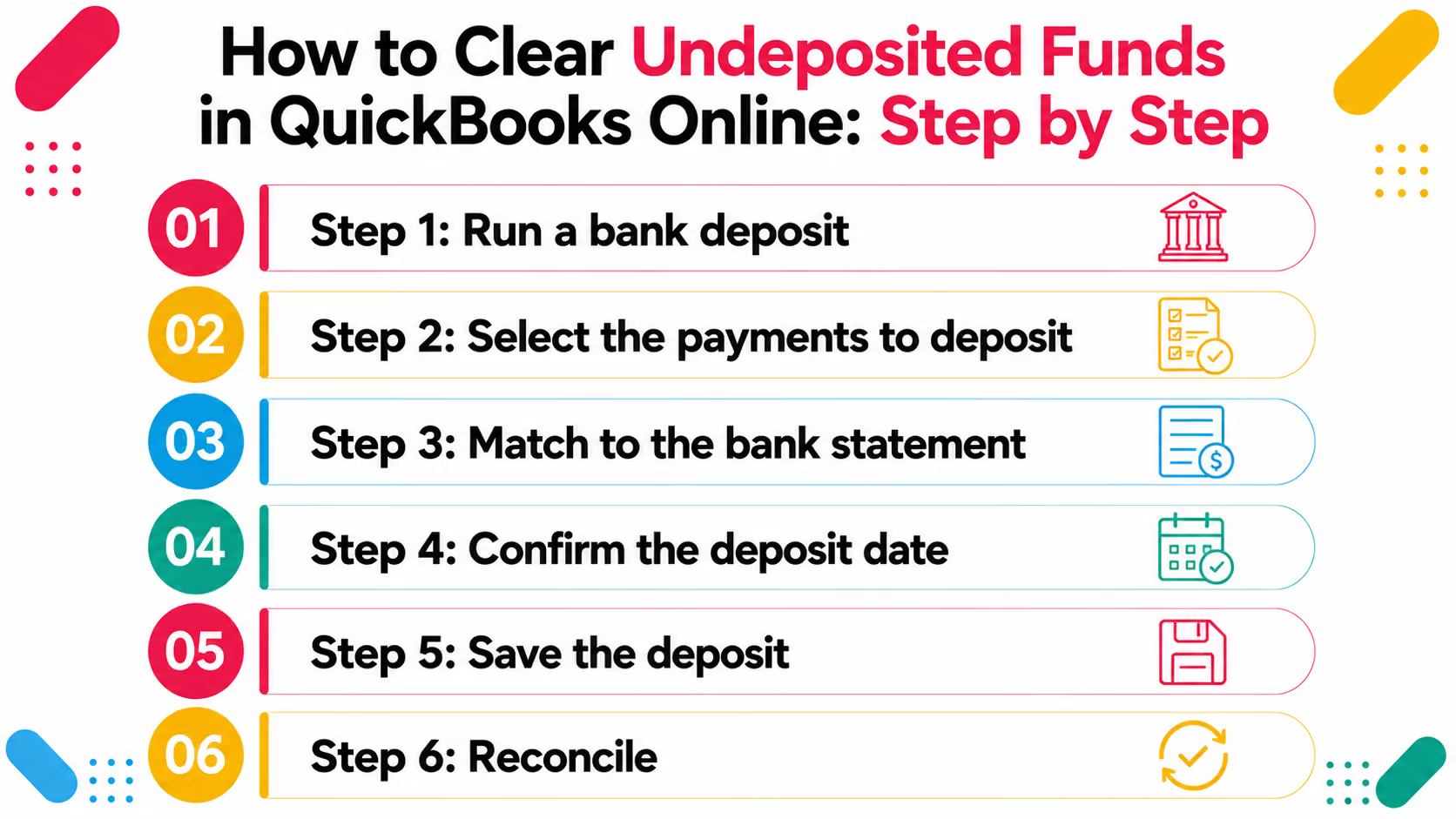
Step 1: Run a bank depositGo to: + New → Bank Deposit
Step 2: Select the payments to depositIn the "Add funds to this deposit" section, QBO shows all payments currently sitting in undeposited funds. Select the payments that were included in the actual bank deposit.
Step 3: Match to the bank statementThe total of the selected payments should equal the deposit amount on the bank statement for that date. If it does not match exactly, check for payments that were not included in that deposit or amounts that differ.
Step 4: Confirm the deposit dateUse the actual bank deposit date, not the payment received date. This matters for reconciliation — the deposit date is what the bank statement shows.
Step 5: Save the depositOnce saved, QBO moves the selected payments from Undeposited Funds to the bank account. The undeposited funds account balance decreases by the deposit total.
Step 6: ReconcileWhen you run the monthly bank reconciliation, the deposit should now match the bank statement line. If it does not, check for date differences or amount discrepancies.
Fixing old, orphaned undeposited funds entries:
For amounts that have been sitting in undeposited funds for months or years, a bank deposit entry will not work — the actual bank deposit happened long ago and has already been reconciled. The fix depends on the situation:
Common Undeposited Funds Mistakes and How to Avoid Them
1. Recording payments without completing the bank deposit stepThe most common mistake. Payments land in undeposited funds and nobody creates the deposit entry. Fix: make bank deposit creation part of the weekly bookkeeping routine, not an afterthought.
2. Using "Deposit to" incorrectly when recording paymentsWhen recording a payment, QBO asks where the payment goes — either to "Undeposited Funds" or directly to a specific bank account. Sending everything directly to the bank account bypasses the clearing process and causes mismatches when multiple payments are deposited together. Fix: use Undeposited Funds consistently and create deposits to batch-match payments.
3. Not reconciling undeposited funds monthlyThe undeposited funds balance should be reviewed at every close. If there are items older than 30 days, investigate before closing the month. Fix: add undeposited funds review to the month-end close checklist.
4. Letting Stripe, PayPal, or Square transactions create duplicatesPayment processors often deposit funds in batches. If each individual payment is also manually recorded in QBO, the same money appears twice. Fix: set up bank rules to handle payment processor deposits as lump sums, not individual transactions.
A Scenario We See Often: Inflated Assets Nobody Noticed for 14 Months
A seven-person bookkeeping firm is managing a professional services client on QBO. The client's bookkeeper had been recording customer payments correctly — receiving them against invoices in QBO — but had never been shown how to complete the bank deposit step.
Every payment for 14 months went to Undeposited Funds. None of them were cleared.
The balance sheet showed $18,000 in undeposited funds. The checking account balance in QBO was $18,000 lower than it should have been if the deposits had been recorded. The total assets were technically the same — but the composition was wrong, and the bank reconciliation had never balanced properly.
The error was caught when the firm ran a Xenett Pulse diagnostic on the file during a quarterly review. Pulse flagged the undeposited funds balance as a high-severity finding — the account had items going back 14 months with no corresponding deposit records.
The cleanup took four hours: creating 14 months of backdated bank deposits and reconciling each month to confirm the bank statements now matched. The client's corrected balance sheet showed the same total assets — but now with $18,000 less in undeposited funds and $18,000 more in the checking account. Accurate. Reconciled. Reliable.
How Xenett Pulse Flags Undeposited Funds Issues Automatically
Xenett Pulse includes undeposited funds as one of its 20 diagnostic check points. When Pulse scans a QuickBooks file, it looks at:
- Current balance in the undeposited funds account
- Age of the items in the account — how long they have been sitting without a corresponding deposit
- Whether the balance is consistent with the current deposit cycle or contains old orphaned entries
If the undeposited funds account has items older than expected, Pulse surfaces it as a finding — ranked by severity alongside all other issues in the file.
The diagnostic output shows:- The current undeposited funds balance- The date of the oldest item in the account- The transaction count sitting uncleared- Severity rating — urgent, attention, or monitor
This goes into the Books Health Score and appears in the white-labelled client-ready report your firm produces before any engagement is scoped or priced.
Why this matters for CPA firms:Undeposited funds issues are rarely disclosed by clients. They do not know the account exists, let alone that it has a balance. A pre-onboarding or pre-proposal diagnostic catches this in under two minutes — before you commit to a scope that does not account for the cleanup work required.
Sign up free at Xenett Pulse - run a diagnostic on your next QBO file and see every issue ranked by severity before you quote.
Conclusion
The undeposited funds account is one of QuickBooks' most useful features when used correctly. It handles the real-world complexity of batching multiple payments into a single bank deposit — which is how most businesses actually operate.
When it is not managed correctly, it becomes a silent balance sheet problem. Old amounts sit in the account indefinitely, inflating current assets and masking the true cash position. The bank reconciliation never fully balances. The financial statements become unreliable without anyone knowing why.
The fix is always the same: review the undeposited funds register regularly, complete the bank deposit step for every payment, and investigate anything older than 30 days before the month closes.
For CPA firms, catching undeposited funds issues before an engagement starts — not three months in — is the difference between a clean onboarding and an unexpected cleanup that the client did not budget for and the firm did not quote.
Frequently Asked Questions
What is undeposited funds in QuickBooks?
Undeposited funds is a clearing account that holds customer payments after they are recorded in QBO but before they are matched to a bank deposit. It acts as a virtual holding place — when you receive multiple payments and deposit them together at the bank, QBO uses undeposited funds to group them before they clear to the actual bank account.
Why does my QuickBooks undeposited funds account have a balance?
A balance in undeposited funds means there are customer payments recorded in QBO that have not been matched to a bank deposit. Either the bank deposit step was never completed, the payment was recorded twice, or a payment was applied incorrectly. Any balance older than 30 days needs investigation.
How do I clear undeposited funds in QuickBooks Online?
Go to + New → Bank Deposit. Select the payments in the "Add funds to this deposit" section that correspond to an actual bank deposit. Set the date to match the bank statement. Save — QBO moves the selected payments from Undeposited Funds to the bank account. For old orphaned entries, you may need to create backdated deposits or void incorrect entries depending on the situation.
How does undeposited funds affect the balance sheet?
Undeposited funds appears as a current asset on the balance sheet. A large or stale balance in this account overstates current assets — it shows money the business already collected from customers, but which has not been properly recorded as being in the bank account. This distorts the cash position and any ratios calculated from the balance sheet.
Can undeposited funds go negative in QuickBooks?
Yes — a negative balance in undeposited funds usually means a bank deposit was recorded but no payments were selected to go with it, or a deposit was recorded for more than the actual payments received. It is always a sign of an error that needs to be investigated and corrected.
How often should I check the undeposited funds account?
Weekly at minimum for businesses with regular customer payments. At every month-end close as part of the reconciliation process. Any amount in undeposited funds that is more than 30 days old should be investigated before the month is closed.
How does Xenett Pulse help with undeposited funds?
Xenett Pulse scans the undeposited funds account as part of its 20-point QuickBooks diagnostic. It flags the account balance, identifies the age of the oldest items, and surfaces this as a finding in the Books Health Score — ranked by severity. For CPA firms, this means undeposited funds issues are caught in a pre-onboarding or pre-proposal review rather than discovered mid-engagement when the scope is already committed.
Related guides
- Start here: QuickBooks Bookkeeping: What Clean Books Look Like
- QuickBooks Chart of Accounts - How to structure the chart of accounts so coding stays clean.
- QuickBooks General Ledger Review - How to review the general ledger and what errors to look for.
- QuickBooks Accounts Receivable - How AR overstates assets and how to fix each cause.
.avif)

.avif)