



Blog Summary
- A true up in accounting is an adjusting entry that corrects a balance or amount to match the actual figure.
- True up entries are used at period end, year end, during audits, and whenever a recorded amount differs from the actual amount.
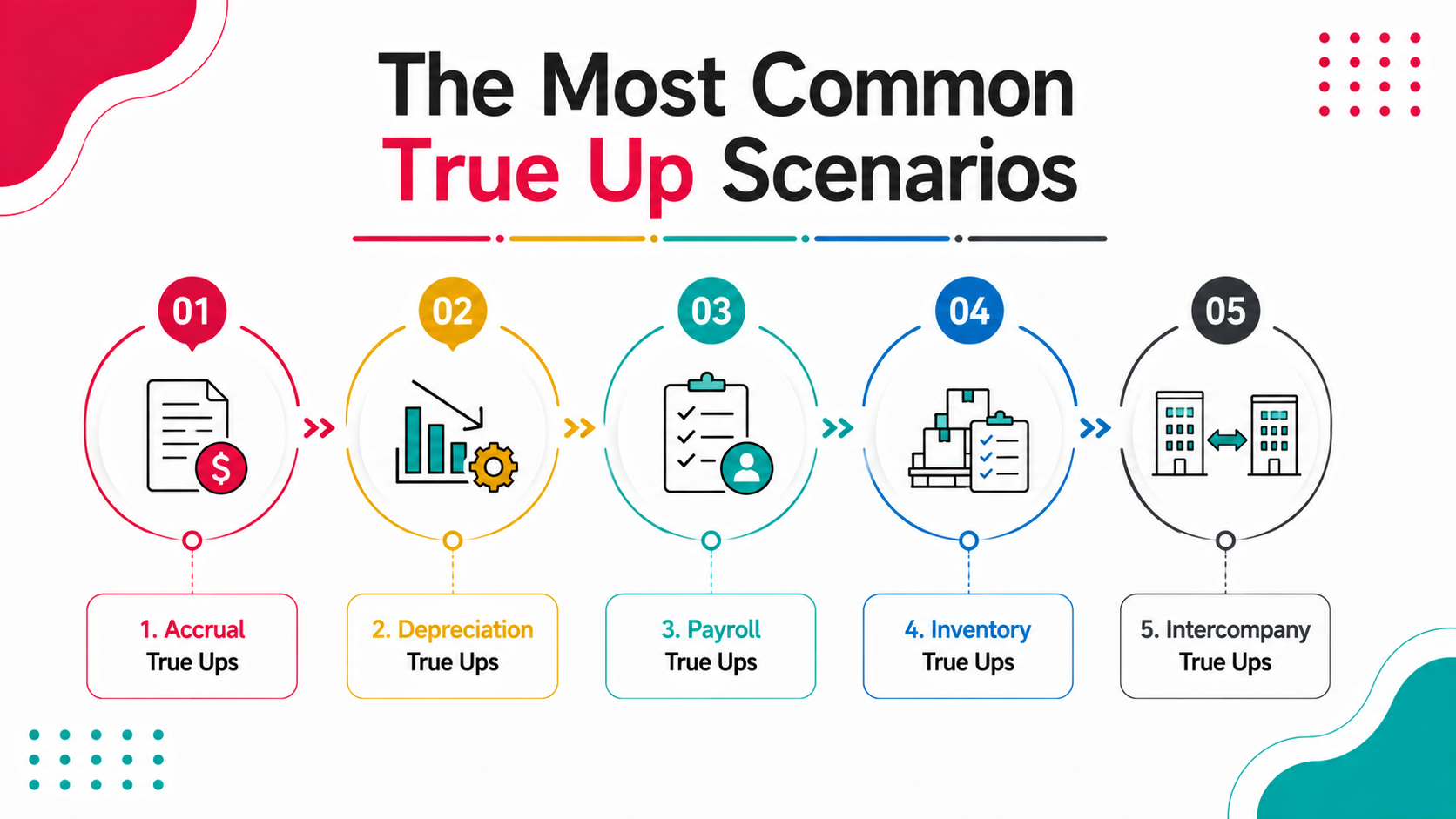
- The most common true up scenarios: accruals, depreciation, payroll, inventory, and intercompany balances.
- True up entries that are not tracked and documented create reconciliation gaps that compound over time.
- Xenett Pulse surfaces unresolved true up issues and reconciliation discrepancies automatically before they compound.
- Understanding when and how to use true up entries is essential for accurate financial reporting.
You estimated an expense at the start of the year. The actual amount came in different. You need to correct the recorded amount to match reality. That correction is a true up. It sounds simple. And in isolation, it is. But true up entries made without documentation, without a clear audit trail, and without a reconciliation check afterward become the entries that show up six months later as unexplained discrepancies nobody can trace. This guide covers exactly what a true up means in accounting, when to use one, the most common true up scenarios, and how to make sure every true up entry is documented and traceable.
What Is a True Up in Accounting?
A true up in accounting is an adjusting journal entry that corrects a previously recorded amount to match the actual figure. It brings a balance into alignment with reality after an estimate, accrual, or preliminary figure has been recorded. The term comes from the idea of making something accurate or true. When you record an estimated amount and the actual amount later becomes known, the true up is the entry that bridges the gap. It is used any time a recorded figure and an actual figure do not match and the difference needs to be corrected in the financial records. True ups are distinct from standard journal entries because they are always corrective in nature. They do not record a new transaction. They correct a previously recorded one.
Part of our complete guide: complete QuickBooks cleanup guide
True Up vs Adjusting Entry: What Is the Difference?
A true up is a type of adjusting entry, but not all adjusting entries are true ups. An adjusting entry records any change to the books at period end. A true up specifically corrects an estimate or preliminary figure to match the actual amount.
| Entry Type | What It Does | When It Is Used |
|---|---|---|
| True Up Entry | Corrects an estimated or preliminary amount to the actual figure | When actual figures become known after an estimate was recorded |
| Accrual Entry | Records an expense or revenue before cash changes hands | At period end, before the invoice or payment arrives |
| Deferral Entry | Delays recognition of revenue or expense to a future period | When cash has been received or paid but the period has not yet occurred |
| Reclassification Entry | Moves a transaction from one account to another | When a transaction was coded to the wrong account |
A true up follows an accrual. The accrual records the estimated amount. The true up corrects it when the actual amount is known.
When to Use a True Up Entry
Use a true up entry whenever a previously recorded estimate or preliminary figure does not match the actual amount that has since become known. Common situations that require a true up: year-end close (accruals made during the year are trued up to actual figures when the year is closed), audit adjustments (an auditor identifies a discrepancy between recorded and actual amounts), payroll reconciliation (payroll was estimated based on projected hours and actual hours came in different), inventory count (a periodic count reveals the actual inventory differs from the recorded figure), intercompany balances (two entities record transactions with each other and a true up aligns their accounts when the period closes), and prepaid expenses (a prepaid recorded at the start of the year is trued up to the actual amount consumed).
The Most Common True Up Scenarios
1. Accrual True Ups
An accrual true up corrects an estimated accrual to the actual amount when the invoice or payment arrives. At the end of November, you accrue a $5,000 utilities expense because the bill has not arrived yet. The December bill arrives and the actual amount is $4,750. The true up entry reverses $250 from the utilities expense account to bring the recorded amount in line with the actual. Without the true up, the books show $250 more in utilities expense than was actually incurred. Over a year of accruals, uncorrected true ups accumulate into a significant misstatement.
2. Depreciation True Ups
A depreciation true up corrects the accumulated depreciation account when the actual depreciation differs from the estimated amount. Depreciation is calculated based on assumptions: useful life, salvage value, and depreciation method. When an asset is sold, written off, or its useful life is reassessed, the accumulated depreciation account needs to be trued up to reflect the actual situation.
3. Payroll True Ups
A payroll true up corrects the recorded payroll expense to match the actual payroll when estimates and actuals differ. This is common in benefits administration. Employer benefit contributions are often estimated at the start of the year based on projected enrollment. Actual enrollment differs. The true up at year end corrects the recorded contribution amount to the actual figure.
4. Inventory True Ups
An inventory true up corrects the recorded inventory balance to match the physical count. At period end, a physical count reveals the actual inventory on hand. If the recorded balance and the physical count differ, the inventory account is trued up to the physical count. The difference is recorded as an inventory adjustment.
5. Intercompany True Ups
An intercompany true up aligns the intercompany receivable and payable accounts between related entities when they do not agree. Entity A records a receivable from Entity B. Entity B records a payable to Entity A. At consolidation, the two amounts should cancel out. When they do not match, a true up corrects the difference before consolidation.
How to Make a True Up Entry in QuickBooks Online

To make a true up entry in QuickBooks Online, create a journal entry that debits the account that is understated and credits the account that is overstated (or vice versa) to bring both into alignment with the actual figure.
- Identify the discrepancy: compare the recorded amount to the actual amount and calculate the difference.
- Determine the direction of the correction: if the recorded amount is higher than the actual, credit the expense account and debit the offset account. If lower, debit the expense account and credit the offset account.
- Create the journal entry: in QuickBooks Online, go to the plus sign, select Journal Entry, enter the date (usually the last day of the period), and enter the debit and credit accounts and amounts.
- Add a detailed memo explaining what is being corrected and why.
- Document the true up: record the original estimated amount, the actual amount, and the difference in a supporting schedule attached to the journal entry.
- Reconcile the affected accounts after the true up entry is made to confirm the corrected balance ties to the actual figure.
Stop Absorbing Catch-Up Overruns
Run a 20-point Xenett Pulse diagnostic in under 2 minutes and quote from evidence, not estimation.
Sign Up FreeWhy True Up Entries Cause Problems When Not Documented
True up entries made without documentation become unexplained journal entries that show up as reconciliation discrepancies months later. Every undocumented true up is a future cleanup problem.
An accountant makes a true up entry to correct a payroll accrual. The memo says payroll adjustment. No reference to the original accrual. No reference to the actual figure. No supporting schedule attached. Six months later, a new accountant reviews the books. They find a journal entry that debits payroll expense and credits accrued liabilities with no explanation. They cannot tell if it is a true up, a reclassification, or an error. They flag it as a discrepancy. Tracing it back takes two hours. One sentence in the memo field would have prevented both hours.
Every true up entry should include: the account being corrected, the original estimated amount, the actual amount, the difference being corrected, and the source document or calculation supporting the actual figure.
How True Ups Relate to Reconciliation
Every true up entry affects a balance. That balance needs to be reconciled after the true up is made. Unreconciled true up adjustments accumulate into the same reconciliation discrepancies that standard errors create.
A file with multiple uncorrected or undocumented true ups will show cash discrepancies, balance sheet inconsistencies, and period-over-period variances that do not trace to a documented source. Xenett Pulse surfaces these types of discrepancies automatically. The 20-point diagnostic checks every account's reconciliation status, cash discrepancies, and transaction-level anomalies. If a true up entry has created a balance that does not reconcile, the diagnostic flags it ranked by severity. Running Pulse after a period with significant true up activity confirms every adjustment has been reconciled and the books are clean before the next cycle begins.
A Common Situation We See
An accounting firm takes over a client file mid-year. The prior accountant had been making true up entries at the end of every quarter. None of the entries have a memo beyond quarterly adjustment. No supporting schedules are attached. The new accountant runs the first reconciliation. Four accounts have unexplained balances tracing to four quarterly true up entries. Each one requires a conversation with the prior accountant to understand what was being corrected. Two of the four prior accountants are no longer reachable. The new accountant spends six hours researching and rebuilding the documentation for all four entries.
After running Xenett Pulse on new client files at onboarding, the firm now catches these types of undocumented entries immediately. The diagnostic flags the reconciliation discrepancies in the first pass. The scope of the engagement includes documentation and reconciliation cleanup from day one.
How Xenett Pulse Can Help
Xenett Pulse runs a 20-point diagnostic on any QuickBooks file in 1 minute 42 seconds. The diagnostic surfaces cash discrepancies between QBO and actual bank balances, unreconciled accounts where true up entries may have created an unresolved balance, transaction-level anomalies flagged by GPT-powered pattern detection, and reconciliation status for every account (current, stale, or never reconciled). If a true up entry has left a balance unreconciled, the diagnostic will surface it. The Books Health Score tells you the overall impact. The ranked issue list tells you exactly which accounts and which entries need attention.
Sign up free and run your first diagnostic today. Or download a sample report to see what the findings look like.
True Up in Accounting: At a Glance
| Element | Detail |
|---|---|
| What it is | An adjusting entry that corrects an estimate or preliminary figure to the actual amount |
| When to use it | Year-end close, audit adjustments, payroll reconciliation, inventory counts, intercompany alignment |
| How to record it | Journal entry: debit understated account, credit overstated account (or vice versa) |
| What to document | Original estimate, actual amount, difference, source document |
| Risk if undocumented | Unexplained reconciliation discrepancies that compound over time |
| How to check for issues | Run Xenett Pulse diagnostic after any period with significant adjustment activity |
Frequently Asked Questions
What does true up mean in accounting?
A true up in accounting is an adjusting journal entry that corrects a previously recorded estimate or preliminary figure to match the actual amount. It brings a balance into alignment with reality after an estimate, accrual, or preliminary figure has been recorded.
When should you do a true up entry?
Use a true up entry when the actual amount for a previously estimated or accrued figure becomes known. Common timing: year-end close, audit adjustments, payroll reconciliation, inventory counts, and intercompany balance alignment.
What is the difference between a true up and an accrual?
An accrual records an estimated amount before the actual figure is known. A true up corrects the accrual to match the actual figure once it becomes known. The accrual comes first. The true up follows.
How do you record a true up in QuickBooks Online?
Go to the plus sign, select Journal Entry, enter the date, debit the understated account and credit the overstated account (or vice versa), and add a detailed memo explaining what is being corrected and why. Always attach a supporting schedule to the entry.
What happens if a true up entry is not made?
If a true up is not made, the recorded amount remains at the estimated figure. Over time, uncorrected estimates accumulate into balance sheet inaccuracies, period-over-period variances that cannot be explained, and reconciliation discrepancies that become harder to trace with each passing period.
What is an intercompany true up?
An intercompany true up aligns the receivable and payable accounts between related entities when they do not match. At consolidation, intercompany balances should cancel out. When they do not, a true up corrects the difference before the consolidated financial statements are prepared.
How do true up entries affect the trial balance?
A true up entry affects the accounts it debits and credits directly. Those accounts will show a corrected balance in the trial balance after the entry is made. The adjusted trial balance should be run after all true up entries are complete to confirm all balances reflect the actual figures.
Related guides
- Start here: QuickBooks Cleanup: The Complete Guide
- QuickBooks Online Cleanup Checklist — The step-by-step checklist to work through a QBO cleanup in order.
- QuickBooks Cleanup Checklist Before You Quote — The checklist to run before you quote, so scope is known up front.
- How to Clean Up QuickBooks Online — The firm-side workflow for cleaning up client QuickBooks files at scale.