

.avif)
Blog Summary
- A DIY QuickBooks cleanup follows a fixed order: reconcile accounts first, then categorization, chart of accounts, receivables and payables, payroll, and fixed assets, since later steps depend on earlier accuracy.
- Common cleanup triggers include piling uncleared transactions, mismatched income statements, negative balances that should never go negative, and files touched by multiple people.
- DIY cleanup works for straightforward, recent backlogs, but books more than six months behind, multi-year gaps, or tight deadlines usually call for professional help.
- A cleanup is only complete once accounts are fully reconciled, financial statements match reality, and the chart of accounts is organized for ongoing use.
- Maintaining clean books afterward requires a recurring reconciliation schedule and clear categorization rules, not just a one-time fix.
The Pre-Cleanup Audit: Identifying the Mess
Before diving into cleanup, take stock of how far behind your books actually are. This determines whether a DIY approach makes sense or whether you should hire it out from the start rather than getting partway through and realizing the scope exceeds what you can handle confidently.
Check how many months have gone unreconciled, roughly how many transactions need review, and whether you have the accounting knowledge to spot and fix errors confidently without introducing new problems into your QuickBooks Online company file.
If the scope feels manageable and you have accounting familiarity, the steps below will walk you through a thorough cleanup process that covers every area that typically needs attention.
Common Cleanup Triggers to Watch For
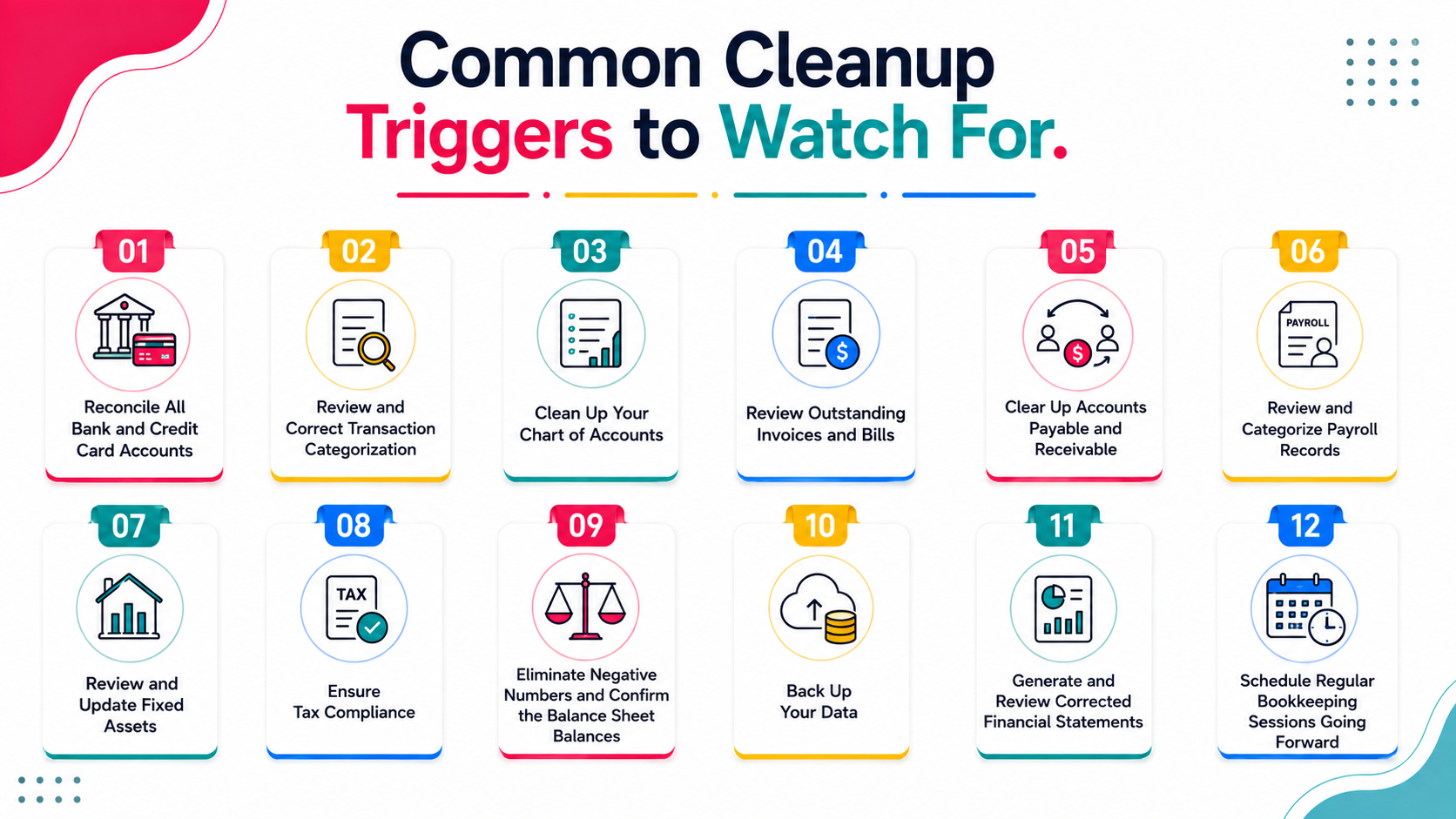
Certain patterns show up again and again before business owners realize their books need a real cleanup rather than a quick fix.
Missing transactions and uncleared transactions piling up, income statements that do not match what you know about actual payments received, negative numbers sitting on the balance sheet where they should not be, and overdue payments that no longer reconcile against accounts receivable are all common signs. So is a company file that has been touched by multiple people, or one connected to third party apps that were set up once and never reviewed again. Any of these are enough reason to regain control of the file before it becomes a genuinely daunting task, rather than waiting until tax season forces the issue.
Step 1: Reconcile All Bank and Credit Card Accounts
Start by reconciling every bank and credit card account against actual statements. This is the foundation everything else builds on, since errors here cascade into every other area of your books and undermine accurate financial reporting downstream.
Go through each statement period and match transactions in QuickBooks Online to what actually happened in your bank account. Flag any discrepancies, including possible duplicate entries, for further investigation rather than guessing at corrections, since incorrect assumptions here can compound into larger problems.
Unreconciled accounts are the most common source of inaccurate financial reports, so this step alone often resolves a significant portion of cleanup issues before you even move to the next stage of the process.
Step 2: Review and Correct Transaction Categorization
Once accounts are reconciled, review transaction categorization to ensure expenses and income are recorded in the correct accounts, since miscategorization directly distorts your understanding of day to day operations and overall business operations.
Look specifically for transactions coded to generic categories like "Uncategorized Expense" or "Ask My Accountant," since these indicate items that were never properly classified and need attention before the books can be considered accurate. Also check for personal expenses that crept into business accounts, a common source of messy books that is easy to overlook.
Correcting categorization matters because it directly affects the accuracy of your profit and loss statement and, eventually, your tax return, where misclassified expenses could mean missed deductions or reporting errors.
Step 3: Clean Up Your Chart of Accounts
Review your full chart of accounts for duplicates, unused accounts, and inconsistent naming that makes reporting confusing and harder to interpret at a glance.
Consolidate duplicate accounts where the same type of expense has been split across multiple categories over time, often the result of different people entering data with slightly different naming conventions. Deactivate accounts you no longer use, rather than deleting them, to preserve historical financial records and financial information for any future reference needs.
A clean chart of accounts makes ongoing bookkeeping faster and financial reports easier to interpret, both for you and for anyone else who reviews your books going forward, including accountants or potential lenders, and gives your company a solid foundation to build on.
Step 4: Review Outstanding Invoices and Bills
Review your outstanding invoices to confirm they reflect reality. Close out invoices that have actually been paid but were not marked as such, and follow up on genuinely outstanding balances that still need collection.
This step often surfaces cash that has been received but not properly applied to the correct invoice, which can make your accounts receivable balance misleading and complicate your understanding of what customers actually still owe you, especially if actual payments were recorded against the wrong invoice originally.
Step 5: Clear Up Accounts Payable and Receivable
Similarly, review outstanding vendor invoices and bills to ensure they are accurate. Mark paid bills as paid, and confirm remaining balances reflect what you actually still owe vendors, since an inaccurate payables balance can distort cash flow planning.
Accurate accounts payable data matters for cash flow planning and your overall financial health, since an inflated or outdated payables balance can distort your view of upcoming obligations and lead to poor decisions about available cash.
Step 6: Review and Categorize Payroll Records
If payroll was not recorded correctly, compare your payroll reports against what is entered in QuickBooks, correcting any discrepancies in wages, tax withholdings, and benefits that do not match across the two sources.
Payroll errors are particularly important to catch since they affect both your financial statements and potentially your payroll tax filings, where inaccuracies could create compliance issues beyond just internal reporting concerns.
Step 7: Review and Update Fixed Assets
If your business has fixed assets, confirm they are recorded correctly and that depreciation, if applicable, has been calculated and entered properly according to your accounting method.
This step is often overlooked in DIY cleanup but matters for accurate balance sheet reporting and tax purposes, since improperly recorded assets can create discrepancies that persist for years if not caught early.
Step 8: Ensure Tax Compliance
Confirm your books are actually tax ready before you consider the cleanup finished. Cross check that categorization aligns with how items need to appear on your tax return, that vendor invoices tied to deductible expenses are accurately recorded, and that nothing significant is still sitting in a holding category that a tax preparer would need to chase down at tax time.
Getting this step right up front saves unnecessary stress later, and it is far easier to verify accuracy now than to reconstruct the reasoning behind an entry months after the fact.
Step 9: Eliminate Negative Numbers and Confirm the Balance Sheet Balances
Scan your balance sheet for negative numbers in accounts that should never go negative, like undeposited funds or inventory, since these almost always point to a data entry error or a transaction posted to the wrong account. Confirm the balance sheet actually balances, with assets equal to liabilities plus equity, before moving on. If it does not, that discrepancy needs to be traced and resolved rather than left for a future cleanup to catch.
Step 10: Back Up Your Data
Before you consider the cleanup complete, back up your company file. This protects the work you just did and gives you a clean, restorable version of accurate data to fall back on if anything is accidentally changed or deleted later. This step is easy to skip in the moment but matters just as much as any reconciliation step above.
Step 11: Generate and Review Corrected Financial Statements
Once the steps above are complete, generate your profit and loss statement, balance sheet, and cash flow statement for the cleaned period, giving you an accurate picture of the corrected financial position.
Review these reports against your own knowledge of the business. If something looks off despite your cleanup efforts, that is a signal to dig deeper into a specific area before considering the cleanup complete and moving forward with confidence.
Step 12: Schedule Regular Bookkeeping Sessions Going Forward
A cleanup only pays off if you do not end up back in the same place a year from now. Set a recurring time, weekly or monthly depending on transaction volume, to review reconciliation status and catch anything uncategorized before it accumulates. Feeling confident from day one going forward, rather than dreading the next cleanup, is really the point of doing this work properly the first time.
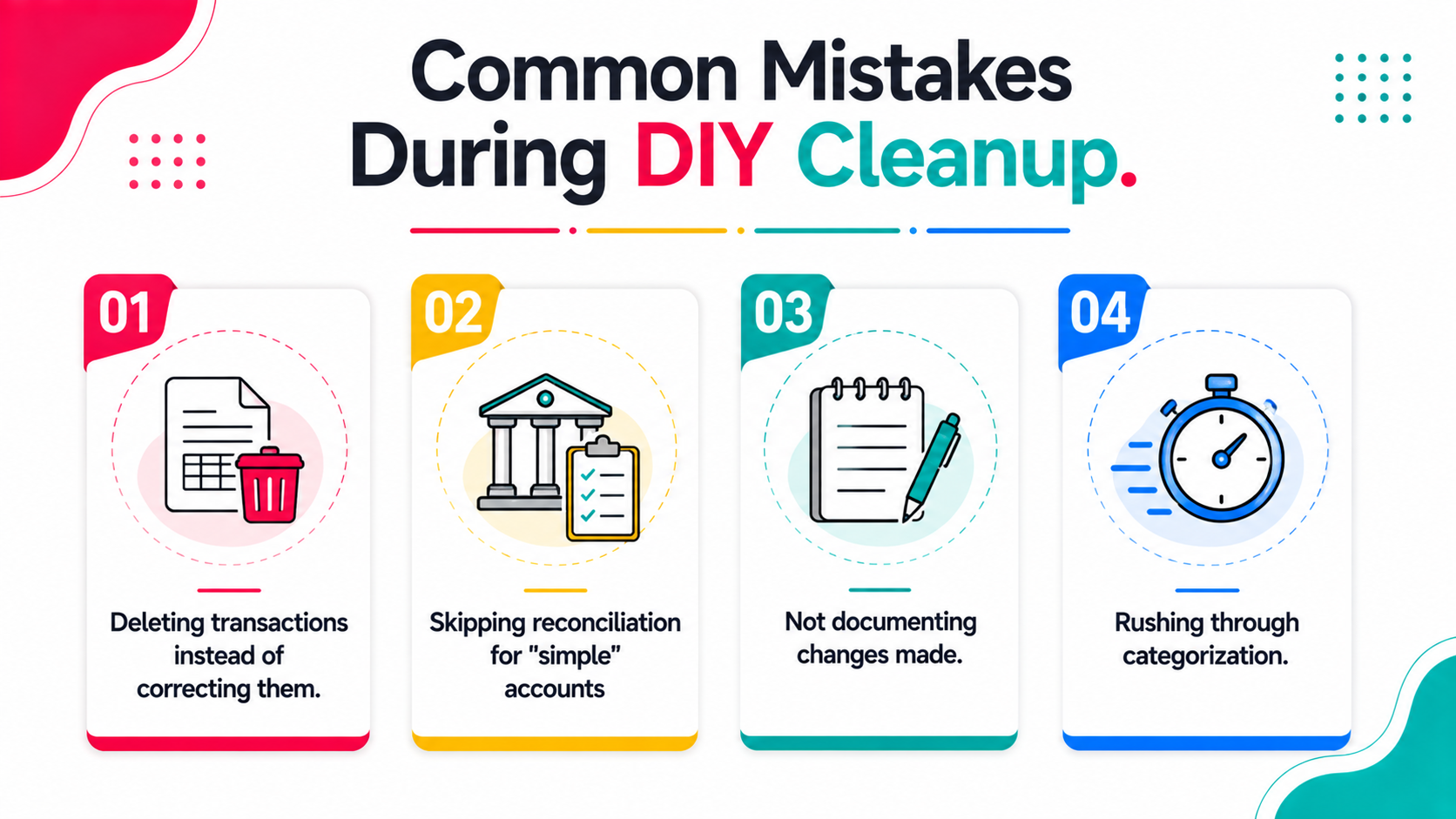
Common Mistakes During DIY Cleanup
When DIY Cleanup Is Not the Right Choice
Certain situations call for professional help rather than attempting cleanup yourself, and recognizing these signals early can save significant time and prevent compounding errors.
How to Know Your Cleanup Is Actually Complete
A thorough cleanup should leave you with fully reconciled accounts, financial statements that match your own understanding of business performance, and a clean, organized chart of accounts that makes future bookkeeping simpler.
If financial reports still seem inaccurate or confusing after following these steps, consider having a professional review the file to catch anything missed, particularly if you are preparing for an important deadline or decision that depends on accurate financial records.
Maintaining Clean Books After Cleanup
Completing a cleanup is only valuable if you maintain the improvement going forward, which requires establishing better habits than whatever led to the backlog in the first place.
Set a monthly reconciliation schedule and stick to it, rather than letting a busy period push this task aside again. Establish clear categorization rules for common transaction types, reducing the ambiguity that leads to miscategorized entries. Consider a periodic health check even when things seem fine, since small issues caught early are far easier to correct than an accumulated backlog, and it is a much better use of your time than rebuilding a clean slate from scratch every year or two.
Tips for Maintaining Your Books, by Method
Pen and paper. If you are still tracking anything outside QuickBooks on paper, the risk is simple: nothing gets reconciled against it automatically, so errors compound silently. Move recurring records into QuickBooks Online directly where possible.
Spreadsheets. Spreadsheets used alongside QuickBooks, for tracking vendor invoices or side calculations, are a common source of drift once the two stop matching. Use bookkeeping templates that mirror your chart of accounts to keep them aligned, or eliminate the spreadsheet entirely if QuickBooks can handle it natively.
Bookkeeping software. Within QuickBooks itself, lean on bank feeds, rules, and recurring transaction templates to reduce manual data entry, which is the single biggest source of the errors this guide walks through fixing.
Tools Within QuickBooks That Support the Cleanup Process
QuickBooks includes several built in features specifically useful during cleanup work, and knowing where to find them can speed up your DIY process considerably.
The reconciliation report shows exactly which transactions have not been matched against bank statements, giving you a clear starting point rather than needing to manually cross reference every entry against paper or digital statements.
The audit log tracks changes made to the file over time, which can help you understand when and how certain errors were introduced, particularly useful if multiple people have had access to the company file over the period needing cleanup.
Bank feed matching tools can help identify transactions that were entered manually but also came through a connected bank feed, revealing potential duplicate entries that might otherwise go unnoticed during a manual review.
Report customization options let you drill into specific account types or date ranges, making it easier to isolate and review problem areas identified during your reconciliation work rather than reviewing the entire file at once.
Familiarizing yourself with these tools before starting reduces the time cleanup takes and helps ensure you are working as efficiently as possible through what can otherwise be a tedious, time consuming process.
How to Handle Cleanup When Records Are Genuinely Incomplete
Sometimes cleanup involves more than just correcting existing entries, since some businesses face genuine gaps where transactions were never recorded at all, requiring a different approach than simple correction.
Reconstructing from bank and credit card statements. When transactions are missing entirely, bank and credit card statements become your primary source for identifying what actually happened during the gap period, even without original receipts or invoices.
Estimating when documentation truly does not exist. In rare cases where even bank records do not provide enough detail, reasonable estimates based on patterns from surrounding periods may be necessary, though this should be a last resort and clearly documented as an estimate.
Working with your tax preparer on gaps. If cleanup reveals genuine gaps that cannot be fully reconstructed, discussing this directly with whoever handles your tax filing ensures you are both aware of any limitations in the final financial picture.
Complete reconstruction from scratch is time intensive and often benefits from professional help, even if you are comfortable handling more straightforward cleanup work yourself, since experienced professionals often build reconstructive approaches for exactly this kind of gap.
Setting Up Systems to Avoid Needing Cleanup Again
Completing a cleanup project offers a natural opportunity to reassess and improve the underlying processes that led to the backlog in the first place, rather than simply returning to previous habits once the immediate problem is resolved. This is also the point where many business owners decide to spend more time growing their business instead of wrestling with the books each month.
Consider whether the person responsible for bookkeeping has adequate time allocated for the task, since chronic backlogs often stem from bookkeeping being treated as an afterthought squeezed in around other priorities rather than a dedicated, protected task. Evaluate whether your current categorization system is intuitive enough for whoever enters transactions, since overly complex account structures often lead to miscategorization simply because the correct option is not obvious.
Building in a brief monthly review, even just twenty or thirty minutes to scan for anything obviously wrong, catches potential issues early before they compound into the kind of extensive backlog that requires a full cleanup project to resolve.
Frequently Asked Questions
How to do a cleanup in QuickBooks?
A QuickBooks cleanup generally follows the same order outlined above: reconcile bank and credit card accounts first, then correct transaction categorization, clean up the chart of accounts, resolve accounts receivable and payable, review payroll and fixed assets, confirm tax compliance, and finish by generating and reviewing corrected financial statements. Working through it in this order matters, since later steps depend on the accuracy of earlier ones.
How much does QuickBooks cleanup cost?
Cost varies widely depending on how far behind the books are, transaction volume, and complexity, ranging from a few hundred dollars for a light, recent cleanup to several thousand for a multi year, high volume reconstruction. Most professionals quote after reviewing the actual file rather than off a flat rate, since scope varies so much between companies.
Is QuickBooks Desktop going away in 2026?
QuickBooks Desktop itself is not disappearing entirely, but Intuit is discontinuing certain Desktop versions in the US in 2026, with support windows varying by version and Enterprise unaffected. After a version's support ends, the software still opens, but connected features like bank feeds, payroll tax tables, and security patches stop working, which is pushing most affected users toward QuickBooks Online.
Can AI clean up my QuickBooks?
AI powered tools can now flag likely errors, duplicates, and miscategorized transactions automatically, which speeds up the diagnostic phase considerably compared to a fully manual review. Most tools today are best used to identify what needs attention rather than to make every correction unsupervised, so a human review of flagged items is still worthwhile before considering the cleanup complete.
How long does DIY QuickBooks cleanup typically take?
For a business with moderate transaction volume and a few months behind, expect several hours to a few days of focused work, depending on complexity and how much documentation you have readily available.
Can I use QuickBooks' built-in tools to help with cleanup?
Yes, QuickBooks offers reconciliation tools and reports that support the cleanup process, though they require you to interpret and act on the information manually rather than automating the correction process itself.
Is it normal for books to need cleanup periodically?
Occasional cleanup needs, especially after a bookkeeper transition or a busy period, are common. Frequent need for extensive cleanup usually signals a process problem worth addressing at a more fundamental level.
What is the fastest way to know how much cleanup my books actually need?
Running an automated diagnostic tool before starting manual work gives you a clear picture of the actual scope, helping you decide between a DIY approach and hiring professional help with realistic expectations.
The complete QuickBooks cleanup series
Every guide below goes deeper on one part of the process covered above.
- QuickBooks Online Cleanup Checklist — The step-by-step checklist to work through a QBO cleanup in order.
- QuickBooks Cleanup Checklist Before You Quote — The checklist to run before you quote, so scope is known up front.
- How to Clean Up QuickBooks Online — The firm-side workflow for cleaning up client QuickBooks files at scale.
- 5 Signs Your QuickBooks File Needs a Cleanup — The five warning signs a file needs cleanup before tax season.
- Hiring a QuickBooks Cleanup Service — How to choose and brief a QuickBooks cleanup provider.
- Bookkeeping Cleanup Services: What's Included — What a bookkeeping cleanup engagement actually includes.
- QuickBooks Cleanup Service Cost — What cleanup work costs, and what drives the price up.
- Catch-Up Bookkeeping and How to Price It — How catch-up bookkeeping differs from cleanup, and how to price it.
- Adjusted Trial Balance Explained — How to prepare the adjusted trial balance that closes out a cleanup.
- True Up in Accounting — What a true-up entry is and when a cleanup calls for one.
Other guides for accounting firms
- How to Reconcile in QuickBooks Online
- How to Price Bookkeeping Services
- Accounting Client Onboarding Checklist
- What Is Outsourced Bookkeeping?
- QuickBooks Bookkeeping: What Clean Books Look Like
Not sure how deep your cleanup needs to go? Xenett Pulse runs a free automated diagnostic on your QuickBooks file to show you exactly what is off. Run your free diagnostic now.