



Blog Summary
- Most QuickBooks cleanup services cost between $500 and $1,500 for straightforward projects covering one to three months, while multi-year rescues can run $2,000 to $13,000 or more.
- QuickBooks cleanup typically takes 1 to 8 weeks, with complex issues requiring more time and higher costs.
- Price depends primarily on how far behind the books are, transaction volume, and data corruption or errors found during file review, not just the provider's hourly rate.
- Professional cleanup can save businesses an estimated $4,000 to $6,000 in lost productivity compared to attempting an extensive fix without help.
- Cleanup services generally do not include tax preparation or payroll processing unless offered separately by the provider.
What Determines QuickBooks Cleanup Pricing
Before looking at specific price ranges, it helps to understand what actually drives cost, since this explains why quotes vary so widely between businesses even for seemingly similar QuickBooks files. This applies whether the business runs on QuickBooks Online or the desktop version, since the QuickBooks cleanup process addresses the same underlying issues on either platform.
How far behind the books are. A few months of unreconciled transactions costs far less to fix than several years of neglected bookkeeping, since the volume of work scales directly with the length of the backlog.
Transaction volume. A business processing hundreds of transactions monthly requires more review time than one processing a handful, regardless of how far behind the books actually are in terms of time period.
Complexity of the business. Businesses with inventory, multiple entities, or complex payroll situations typically cost more to clean up than straightforward service businesses with simpler financial records.
Quality of existing records. If some documentation exists but is disorganized, cleanup costs less than if accounting records are largely missing and need reconstruction from bank statements and other secondary sources.
Number of bank accounts and credit cards. Each additional account requiring reconciliation adds time to the project, so business owners with several accounts should expect proportionally higher costs.
Data corruption and errors found during review. QuickBooks cleanup services can identify corrupt data and errors that go beyond simple miscategorization, and unwinding this kind of damage typically adds to the overall project cost. This is also where accounts payable, payroll records, and other data entry gaps often surface, particularly for businesses that have handled their own bookkeeping without much structure.
Part of our complete guide: complete QuickBooks cleanup guide
Typical Pricing Ranges by Cleanup Scope
Light Cleanup: $500 to $1,500
This typically covers one to three months of unreconciled transactions with relatively low volume and complexity. Common scenario: a small business that fell slightly behind during a busy period but otherwise maintains reasonably organized accounting records. Some providers price this tier as low as $300 for very simple files with minimal transaction volume.
Moderate Cleanup: $1,500 to $2,000
This covers three to six months behind, or a full year for a low-transaction-volume business. Common scenario: a business transitioning between bookkeepers with some gaps in the handoff process between the old and new provider.
Extensive Cleanup: $2,000 to $13,000+
This covers six months or more behind, often spanning a full year or multiple years, typically with higher transaction volume or added complexity like payroll or inventory tracking. Common scenario: a business that hasn't had consistent bookkeeping for an extended period and needs a substantial multi-year rescue. Providers like Certum, which reports having served over 500 businesses through its QuickBooks cleanup services, typically scope pricing at the higher end of this range for genuinely complex, multi-year files. Small businesses using QuickBooks software without dedicated support are especially prone to this scenario, since clearing accounts and reconciling months of activity gets pushed aside during busy periods.
How Long Does QuickBooks Cleanup Take?
QuickBooks cleanup can take 1 to 8 weeks depending on scope, with cleanup duration typically ranging toward the shorter end for straightforward files and toward the longer end when complex issues surface during file review. Complex issues, such as data corruption, extensive duplicate entries, or years of inconsistent categorization, may require more time and correspondingly higher costs than a standard quote would suggest.
Pricing Models Providers Use
Flat Project Fee
Many providers quote a flat fee after reviewing your QuickBooks file, giving you cost certainty upfront regardless of how long the work actually takes to complete once underway.
Hourly Billing
Some providers bill hourly, typically ranging from $50 to $150 per hour depending on experience level and cleanup complexity. This model carries more cost uncertainty but can work well for smaller, well-defined projects where scope is easy to estimate.
Tiered Packages
Some providers offer set packages, such as up to 3 months or up to 12 months, at fixed price points, giving you predictable pricing based on scope without needing a detailed custom quote for every project.
Factors That Can Increase Cleanup Costs
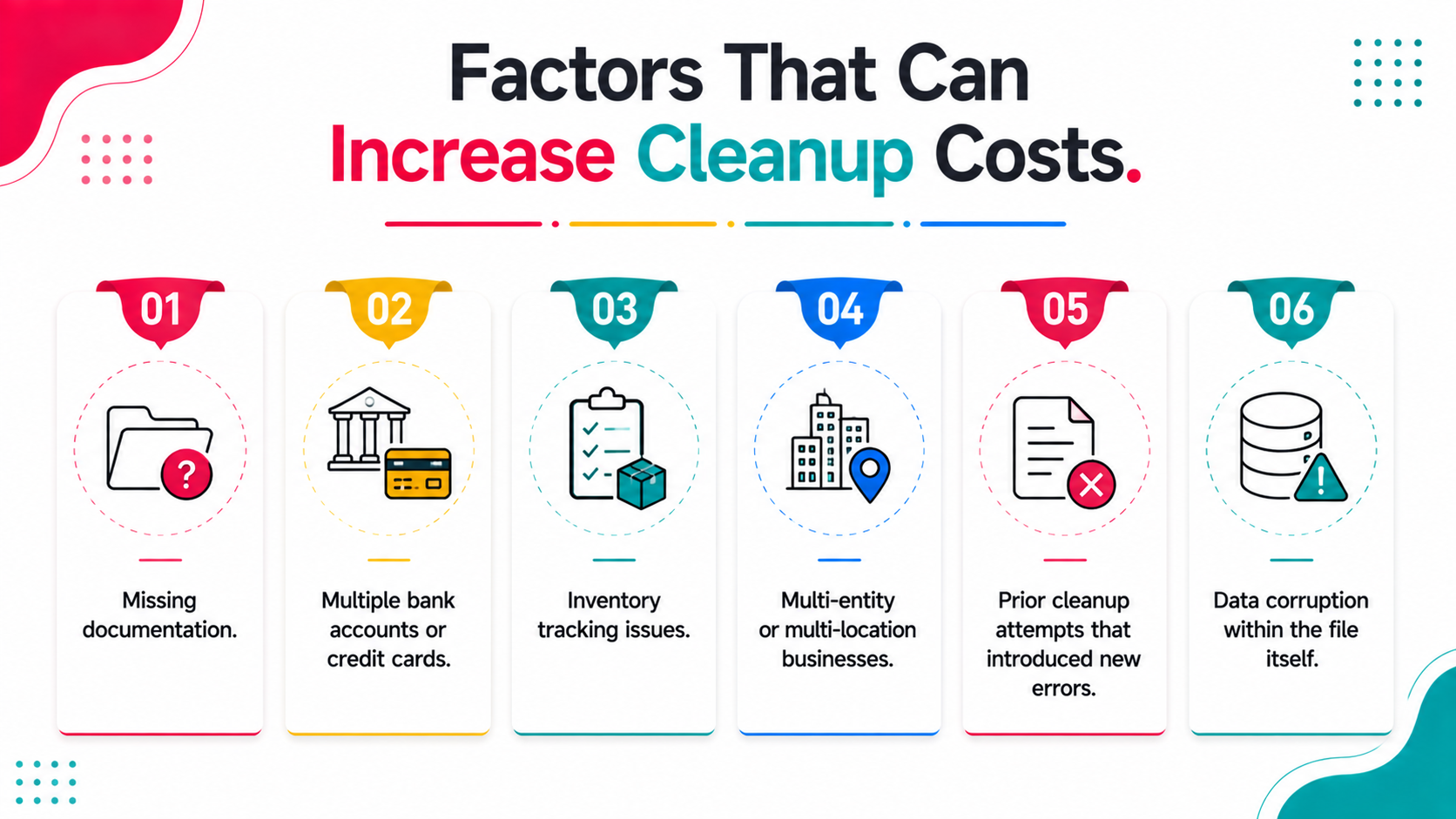
Missing documentation. If bank statements, receipts, or payroll reports aren't readily available, cleanup takes longer as the provider works to reconstruct missing accounting records from whatever sources remain accessible.
Multiple bank accounts or credit cards. Each additional account adds reconciliation time, increasing overall project cost proportionally to the number of accounts requiring attention.
Inventory tracking issues. Businesses with inventory often face more complex cleanup, since inventory valuation errors compound over time and require careful unwinding to correct accurately.
Multi-entity or multi-location businesses. Cleanup across multiple QuickBooks files or entities naturally costs more than a single-entity cleanup, since each file requires its own full review process.
Prior cleanup attempts that introduced new errors. If a previous DIY attempt at cleanup created additional complications, unwinding those errors alongside the original issues can add meaningfully to the total project scope.
Data corruption within the file itself. Beyond simple categorization errors, some QuickBooks files develop actual data corruption over time, which requires more specialized troubleshooting and typically increases both timeline and cost.
What's Typically Included (and Excluded) in Cleanup Pricing
QuickBooks cleanup generally includes reconciling bank and credit card accounts, correcting transaction categorization, cleaning up the chart of accounts, and reviewing accounts receivable and payable for accuracy.
Services generally do not include tax preparation or payroll processing unless specifically offered separately by the provider. If you need both cleanup and ongoing tax or payroll support, confirm upfront whether these are bundled or billed as distinct services, since assuming broader scope than what's actually quoted is a common source of billing surprises.
How to Get an Accurate Cleanup Quote
Provide access to your actual QuickBooks file for review. Reputable providers quote based on what they find during a review of your data file, not a guess from a phone conversation alone, since actual file complexity often differs from initial impressions and many small business owners underestimate how disorganized their own business finances have become.
Be upfront about how far behind you believe the books are. Even a rough estimate helps the provider scope the project more accurately from the start, reducing the likelihood of surprises once work begins.
Ask what's included in the quoted price. Confirm whether the quote covers reconciliation only, or the full scope including categorization, chart of accounts cleanup, and financial statement correction, since scope definitions vary between providers.
Get quotes from multiple providers if the cost seems significant. For extensive cleanup projects, comparing a few quotes helps confirm you're getting a fair price for the scope involved, particularly for larger, more complex projects.
Ask about what happens if additional issues are discovered mid-project. Understanding the provider's policy for scope changes protects you from unexpected cost increases partway through the engagement.
Is It Worth Paying for Professional Cleanup?
For businesses with straightforward, recent gaps in bookkeeping, DIY cleanup can save the cost of hiring it out, provided you have the time and accounting knowledge to do it accurately without introducing new problems.
For more extensive or complex situations, professional cleanup often costs less in total time and stress than attempting it yourself, particularly when facing a deadline like tax season or a loan application where accuracy and speed both matter significantly. Industry estimates suggest professional cleanups can save businesses $4,000 to $6,000 in lost productivity compared to a business owner or existing staff member attempting to untangle an extensive, multi-year mess on their own.
The right choice depends on weighing your own time value, accounting confidence, and how urgently accurate books are needed against the quoted cost, recognizing that your time also has real value even if it doesn't appear as a direct cash expense. Outsourcing bookkeeping cleanup also allows business owners to focus on day to day operations instead of getting pulled into unfamiliar bookkeeping issues.
How to Reduce Future Cleanup Costs
Reconcile bank statements monthly. Regular reconciliation prevents the kind of extensive backlog that leads to costly cleanup projects later, since small discrepancies caught immediately are far cheaper to fix than accumulated errors. Bank accounts left unreconciled for three or more months are one of the clearest signals that a cleanup is becoming necessary.
Categorize transactions accurately as you go. Consistent, accurate categorization avoids the kind of tax issues and reporting distortion that build up when transactions sit uncategorized for months at a time.
Implement auto-reconciliation rules. Setting up bank rules to automatically categorize recurring transactions streamlines your ongoing process and significantly reduces the manual review needed each month.
Back up your data regularly. Beyond protecting against data loss, regular backups give you a clean restore point if an error is introduced and caught early, before it compounds into something requiring a full cleanup.
Schedule regular bookkeeping sessions. Businesses with documented categorization rules and a consistent monthly reconciliation habit rarely need extensive cleanup, since problems get caught and corrected as they arise rather than accumulating into unreliable financial data.
Common Signs That Require Cleanup
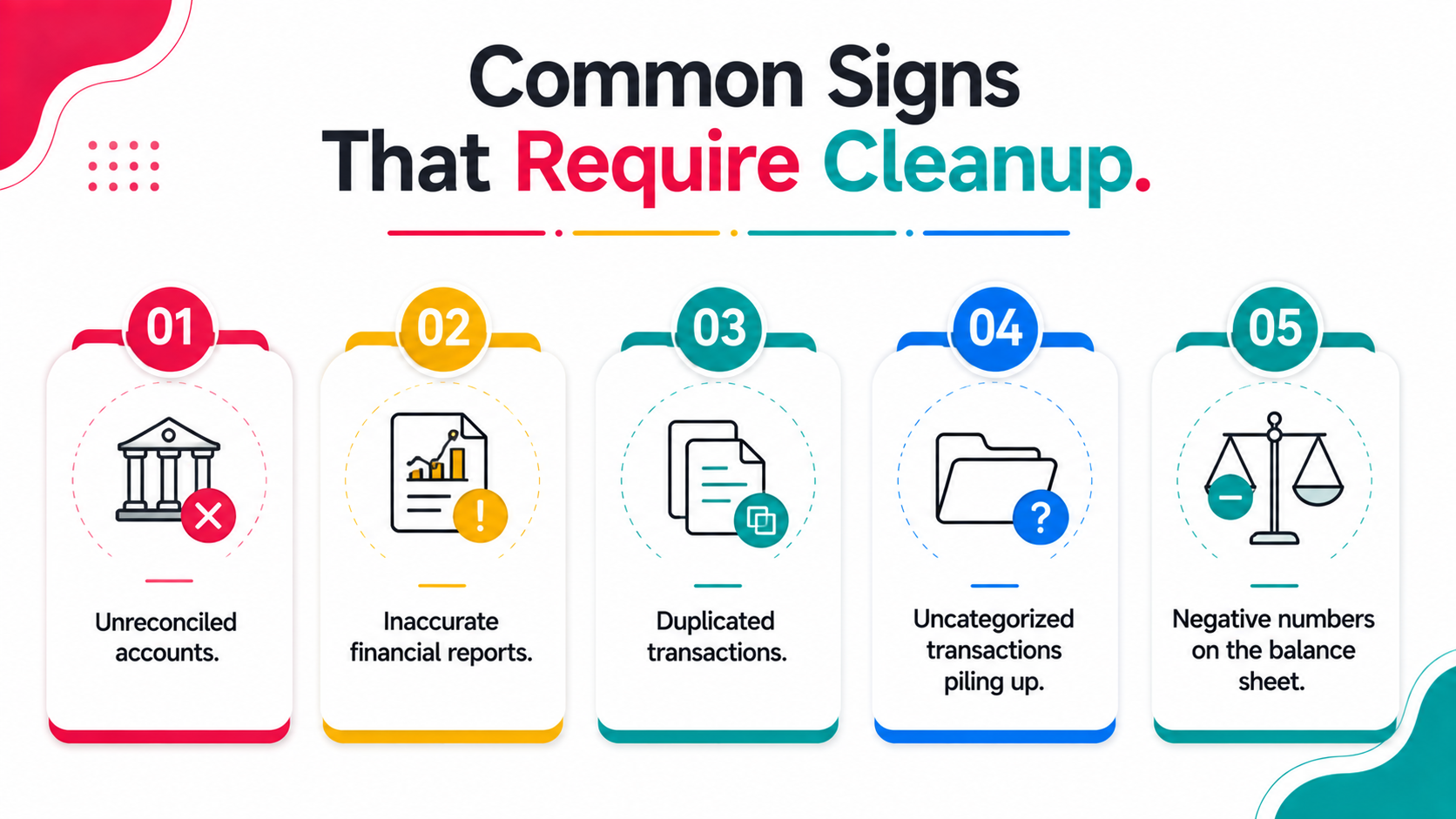
A few recurring patterns signal that a business has reached the point where cleanup, not just routine bookkeeping, is needed.
Unreconciled accounts. Bank or credit card accounts that haven't been reconciled in three or more months typically indicate errors and gaps have already accumulated.
Inaccurate financial reports. If your profit and loss statement or balance sheet doesn't reflect what you know to be true about the business, that's a sign the underlying data needs correction.
Duplicated transactions. Duplicate entries inflate income or expense totals, distorting every report pulled from the file until they're identified and removed.
Uncategorized transactions piling up. A large volume of transactions sitting in generic categories can distort financial reporting accuracy across the board.
Negative numbers on the balance sheet. Unexplained negative numbers often signal recording errors that need to be traced back to their source rather than ignored.
Comparing Cleanup Cost to the Cost of Inaccurate Books
It's worth considering cleanup cost not in isolation, but against the real cost of operating with inaccurate financial data, which often exceeds the cleanup investment itself when fully accounted for.
Inaccurate books can lead to poor business decisions based on incorrect profitability data, missed tax deductions that increase tax liability more than the cleanup would have cost, or credibility problems with lenders and investors who expect reliable financial reporting. Financial clarity, by contrast, improves cash flow management and genuinely aids in securing loans or attracting investment, since lenders and investors both rely heavily on accurate, tax-compliant records before committing capital.
Viewed this way, cleanup cost often represents a relatively small investment compared to the downstream costs of continuing to operate with unreliable financial data and inconsistent reconciliations.
How Location and Provider Type Affect Pricing
Beyond the scope factors already discussed, the type of provider you choose and their geographic base can meaningfully affect quoted pricing for the same underlying cleanup work.
Local independent bookkeepers often charge based on regional market rates, which can vary considerably between major metropolitan areas and smaller towns or rural regions, sometimes creating significant price differences for comparable work across different clients.
National cleanup-focused firms typically offer more standardized pricing regardless of your specific location, since they operate remotely and aren't tied to local market rates the way independent local bookkeepers are.
Specialized QuickBooks ProAdvisors with advanced certifications sometimes charge premium rates, but this can be worthwhile for particularly complex cleanup situations where deep platform-specific expertise genuinely speeds up the work and improves the quality of the result.
Automated financial review tools represent a lower-cost entry point that can complement or sometimes reduce the need for extensive manual cleanup, since these tools can enhance bookkeeping cleanup and detect anomalies in financial data before any manual work begins. Working with QuickBooks experts who offer ongoing support afterward, rather than a one-time fix alone, helps ensure accurate data and accurate reports continue well past the initial project.
Understanding Quotes That Seem Unusually Low or High
When comparing quotes across providers, significant variation for what seems like similar scope deserves closer examination rather than automatically choosing the lowest number.
Unusually low quotes sometimes reflect a provider who hasn't fully reviewed your file before quoting, meaning the actual final cost may end up higher once they discover the true complexity involved. They could also reflect less experienced providers charging less to build their track record, which isn't necessarily bad but is worth factoring into your decision.
Unusually high quotes sometimes reflect a provider positioning themselves at a premium tier with correspondingly higher service levels, faster turnaround, or more specialized expertise. Asking each provider to explain their pricing rationale, rather than accepting numbers at face value, often reveals useful information about how carefully they've actually assessed your specific situation.
How Cleanup Pricing Has Changed in Recent Years
Pricing in this space has shifted somewhat as automated tools have become more sophisticated, changing how some providers approach both their own workflow and their pricing structure.
Providers using automated diagnostic tools as part of their initial file review can often quote more accurately and sometimes complete straightforward cleanup faster than providers relying entirely on manual review from the start, which has begun to affect pricing at the lower end of the complexity spectrum.
This shift doesn't eliminate the need for professional judgment on complex issues, but it has made the most straightforward cleanup work somewhat more affordable as technology handles more of the initial diagnostic legwork that used to require an entirely manual file review.
Budgeting for Cleanup as Part of a Broader Financial Reset
For businesses considering cleanup alongside other financial improvements, such as switching bookkeepers or upgrading accounting software, it's worth budgeting for these efforts together rather than treating cleanup as an isolated expense.
Bundling cleanup with a transition to ongoing professional bookkeeping support sometimes allows for combined pricing that's more favorable than pursuing each service separately from different providers at different times, and it sets small business owners up with accurate financial reporting from day one going forward. Matching a cleanup provider to your specific bookkeeping needs, rather than choosing based on price alone, gives you tax ready books well before your tax return is due, and an accurate picture of the business that helps you regain control of decisions that had been made on guesswork.
Frequently Asked Questions
How much does QuickBooks charge for cleanup?
QuickBooks itself doesn't charge for cleanup, since cleanup is a service performed by bookkeepers, accountants, or specialized cleanup providers rather than a built-in QuickBooks feature. Typical QuickBooks cleanup services cost between $500 and $1,500 for straightforward projects, with multi-year rescues ranging from $2,000 to $13,000 or more.
How to do a cleanup in QuickBooks?
A structured workflow is typically followed: gather financial records, reconcile bank and credit card accounts, categorize transactions, review accounts receivable and payable, update fixed assets, reconcile payroll, eliminate negative numbers, confirm the balance sheet balances, back up the corrected file, and schedule regular bookkeeping going forward to maintain accuracy.
Can AI clean up my QuickBooks?
Financial review tools powered by AI can identify corrupt data, uncategorized transactions, and other common errors automatically, speeding up the diagnostic phase significantly. These tools don't fully replace professional judgment on complex issues, but they can flag potential issues quickly and affordably before any manual cleanup work begins.
Why don't accountants like QuickBooks?
Most accountants don't dislike QuickBooks as software, and Intuit's own platform is generally well regarded by the professionals who work in it daily. Frustration typically stems from inheriting a client's messy books, filled with uncategorized transactions, duplicate entries, and unreliable books built up over time, rather than any flaw in the accounting software's initial setup or design. A clean file with a proper close checklist followed each month gives both the business owner and their accountant a clear picture of expenses and income without the usual back-and-forth.
Can I negotiate QuickBooks cleanup pricing?
Some providers have flexibility, particularly for straightforward projects, though pricing for complex or extensive cleanup is usually based on genuine time and expertise required rather than an arbitrary starting point open to significant negotiation.
Conclusion
Related guides
- Start here: QuickBooks Cleanup: The Complete Guide
- Catch-Up Bookkeeping and How to Price It — How catch-up bookkeeping differs from cleanup, and how to price it.
- Adjusted Trial Balance Explained — How to prepare the adjusted trial balance that closes out a cleanup.
- True Up in Accounting — What a true-up entry is and when a cleanup calls for one.
Before paying for a full manual cleanup, see exactly what's wrong with a free automated diagnostic. Get your free report from Xenett Pulse and know the real scope first.



.avif)