


Blog Summary
- QuickBooks files look clean on the surface because standard reports show what the numbers say, not what is wrong with the underlying data. Errors, gaps, and reconciliation issues accumulate silently and only become visible when someone goes looking for them.
- A QuickBooks cleanup checklist is a structured pre-engagement review across five categories: banking, accounts receivable, accounts payable, reconciliations, and transaction coding. Its purpose is to see the full scope before pricing is locked.
- Banking issues are the most common source of hidden scope. Never-reconciled accounts represent the highest risk: they compound silently and contain an unknown quantity of unresolved transactions.
- Unapplied payments in AR and duplicate vendor records in AP are frequently missed in manual reviews. Both inflate reported balances and take significant time to unwind.
- Reconciliation status is the clearest indicator of overall file health. Accounts that are stale over 6 months or have never been reconciled signal substantially more work ahead.
- Findings should be prioritized in three tiers: urgent items (unreconciled accounts, cash discrepancies, disconnected feeds), items needing attention (stale AR, duplicates, miscoding), and items safe to monitor.
- Each checklist finding should feed directly into the scope section of the proposal, with specific accounts, date ranges, and error types listed. Vague scope language is the most common cause of fee disputes.
- Manual checklists take 2 to 4 hours per file and vary by reviewer. Xenett Pulse runs the same 20-point check in 1 minute 42 seconds with a consistent, client-ready output every time.
You open a new client's QuickBooks file. The summary reports look reasonable. The balance sheet balances. The P&L looks like a P&L.
You start the cleanup.
Two weeks in: unreconciled accounts going back 14 months, duplicate transactions everywhere, cash discrepancies across three bank accounts, and coding errors in nearly every expense category.
The scope you quoted is already gone.
The checklist you wish you had run before quoting is exactly what this post covers.
Part of our complete guide: complete QuickBooks cleanup guide
Why QuickBooks Files Are Messier Than They Look
QuickBooks files look clean on the surface because standard reports show what the numbers say, not what is wrong with the underlying data.
This is the core problem with every pre-engagement file review that relies on summary reports alone.
Transactions are recorded and reports are generated.
Everything appears in place.
But underneath, small gaps have been forming quietly: missing details, misclassifications, unreconciled accounts that nobody flagged, bank feeds that disconnected months ago.
None of that shows up in a balance sheet or P&L.
It only becomes visible when someone goes looking for it, which usually happens after the engagement has started and the fee is locked.
According to data from Xenett Pulse, 68% of engagements start with unvalidated books.
The average scope expansion after discovery is 3x.
That gap, between what the file looks like and what it actually contains, is what a cleanup checklist is designed to close.
Run the Checklist in Under 2 Minutes
Xenett Pulse runs the full 20-point QuickBooks diagnostic automatically — so your scope reflects the file, not the client's description.
Sign Up FreeWhat Is a QuickBooks Cleanup Checklist?
A QuickBooks cleanup checklist is a structured list of checks across banking, AR, AP, reconciliations, and transaction coding, run before the proposal goes out, not during the work.
Its purpose is not to do the cleanup. Its purpose is to see the full picture before scope and pricing are locked. Every item on the checklist maps to a category of issue that affects how long the cleanup will take and how much it should cost.
Run it before the engagement.
Use the findings to write the scope section of your proposal.
Here is the difference between running the checklist manually versus using an automated diagnostic:'
| Element | Manual Checklist | Automated Diagnostic (Xenett Pulse) |
|---|---|---|
| Time required | 2 to 4 hours per file | 1 minute 42 seconds |
| Consistency | Depends on reviewer experience | Same 20-point check every time |
| Categories covered | Limited by template | Banking, AR, AP, reconciliations, coding, anomalies |
| Output | Manual notes | 0 to 100 Books Health Score + ranked risk report |
| Client-ready | No | Yes, white-labelled PDF from day one |
| Anomaly detection | None | GPT-powered pattern deviation flags |
The manual checklist still has value: it builds the reviewer's understanding of the file.
The automated diagnostic is what makes it scalable across every client, every time.
The Complete QuickBooks Cleanup Checklist
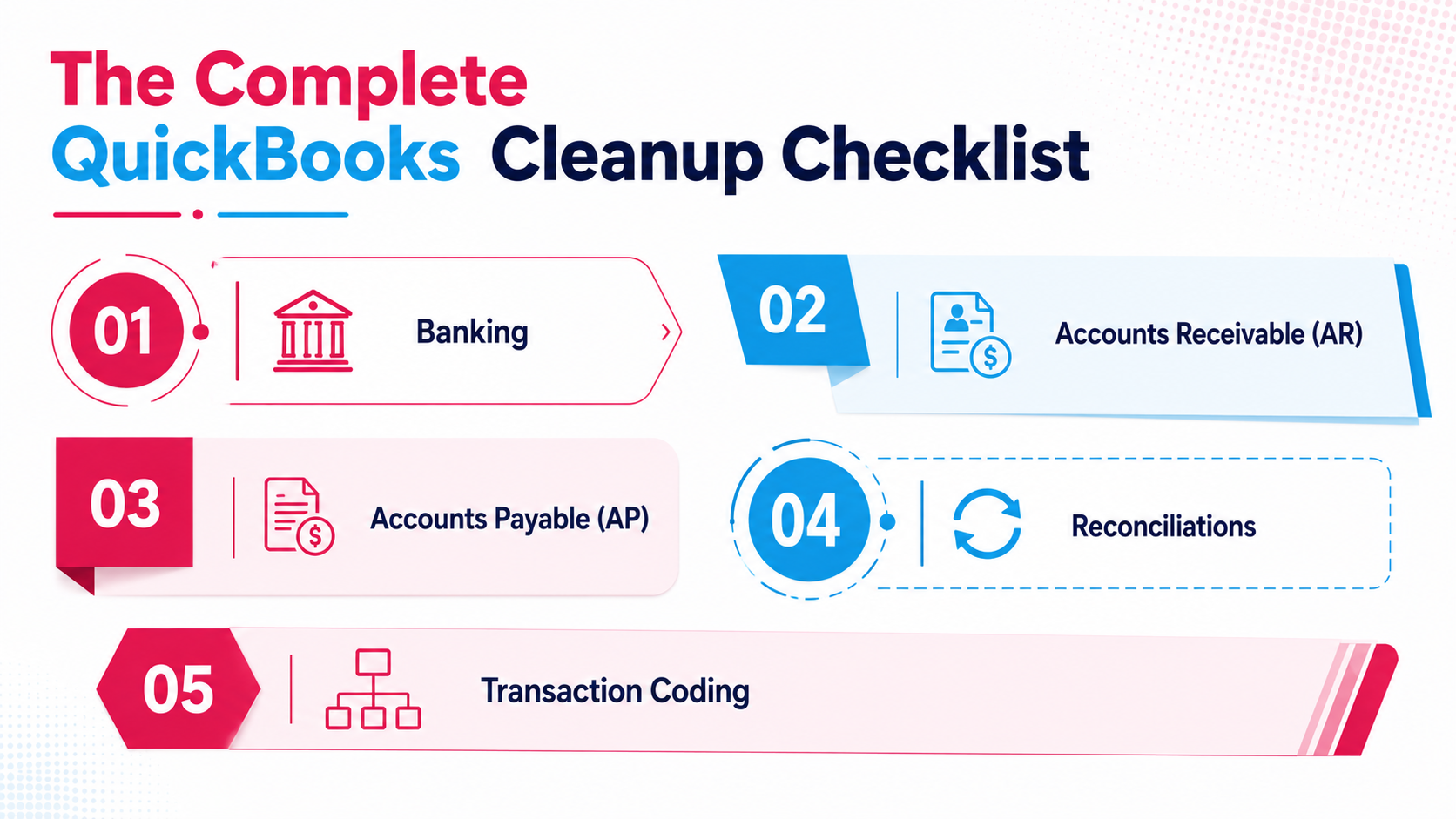
The five categories below map directly to the risk areas Xenett Pulse surfaces in every diagnostic.
Work through each category before writing the proposal.
1. Banking
Banking issues are the most common source of hidden scope in a cleanup engagement.
A file can show a clean bank balance while hiding months of unreconciled transactions underneath.
Check every bank and credit card account for the following:
- Unreconciled accounts: any account that has not been reconciled through the current period
- Cash discrepancies: differences between the QuickBooks balance and the actual bank balance
- Disconnected bank feeds: feeds that stopped pulling transactions at some point without anyone noticing
- Accounts stale over 6 months: accounts that have fallen behind and are accumulating gaps
- Accounts never reconciled: accounts that have never had a formal reconciliation run
Never-reconciled accounts are the highest-risk item in this category.
They represent an unknown quantity of unresolved transactions, and they compound silently until someone goes through them manually.
2. Accounts Receivable (AR)
AR issues inflate the reported receivables balance and create a misleading picture of what the business is actually owed.
Check the following:
- Stale open invoices: invoices that have been open for 90+ days with no payment activity
- Unapplied payments: payments received but never matched to an invoice
- Duplicate customer entries: the same customer entered under multiple names or IDs
- AR balance accuracy: whether the total AR balance reflects actual outstanding amounts or includes old, uncollectable items
Unapplied payments are particularly common in files that were managed manually or imported from another system.
They inflate the AR balance and create reconciliation gaps that take time to unwind.
3. Accounts Payable (AP)
AP issues affect the accuracy of reported liabilities and can create cash flow surprises if left unchecked.
Check the following:
- Unpaid bills past due: bills that have not been paid and are past their due date
- Unapplied credits: vendor credits that were entered but never applied against a bill
- Duplicate vendor records: the same vendor entered under multiple names or IDs
- AP balance accuracy: whether the total AP balance reflects actual outstanding obligations
Duplicate vendor records are a data quality issue that compounds over time.
Left unfixed, they create reporting inconsistencies and make vendor reconciliation harder with each passing period.
4. Reconciliations
Reconciliation status is the clearest indicator of overall file health.
A file with current, complete reconciliations across all accounts is significantly easier to clean up than one with gaps going back multiple years.
Check every account for one of three statuses:
- Reconciled through period end: account is current and clean, no action needed
- Stale, over 6 months old: account has fallen behind, needs to be brought current
- Never reconciled: account has no reconciliation history, highest priority to address
The reconciliation check alone tells you a significant amount about how much work is ahead.
If five of seven accounts are stale or never reconciled, the cleanup scope is substantially larger than if only one is.
5. Transaction Coding
Coding issues are the most time-consuming category to fix because they require transaction-level review across the entire backlog period.
Check for the following:
- Miscoded expenses: transactions assigned to the wrong account or category
- Missing classifications: transactions with no category assigned
- Inconsistent entries: the same type of transaction coded differently across different periods
- Anomaly detection: transactions that deviate from expected patterns and require immediate attention
The anomaly detection check is where manual review has its biggest limitation.
A human reviewer working through a large transaction list will miss pattern deviations that are not obvious at first glance.
Xenett Pulse uses GPT integration to define customizable conditions for review and flag discrepancies automatically, highlighting only the most relevant transactions so reviewers can focus on critical issues without working through everything manually.
Full QuickBooks Cleanup Checklist
| Category | Check Item | Status |
|---|---|---|
| Banking | All accounts reconciled through period end | Clean / Needs attention / Critical |
| Banking | No cash discrepancies between QBO and bank | Clean / Needs attention / Critical |
| Banking | All bank feeds connected and active | Clean / Needs attention / Critical |
| Banking | No accounts stale over 6 months | Clean / Needs attention / Critical |
| Banking | No accounts with zero reconciliation history | Clean / Needs attention / Critical |
| AR | No invoices open 90+ days without activity | Clean / Needs attention / Critical |
| AR | All payments applied to invoices | Clean / Needs attention / Critical |
| AR | No duplicate customer records | Clean / Needs attention / Critical |
| AR | AR balance reflects actual outstanding amounts | Clean / Needs attention / Critical |
| AP | No bills past due and unpaid | Clean / Needs attention / Critical |
| AP | All vendor credits applied | Clean / Needs attention / Critical |
| AP | No duplicate vendor records | Clean / Needs attention / Critical |
| AP | AP balance reflects actual outstanding obligations | Clean / Needs attention / Critical |
| Reconciliations | All accounts reconciled through period end | Clean / Needs attention / Critical |
| Reconciliations | No accounts stale over 6 months | Clean / Needs attention / Critical |
| Reconciliations | No accounts with no reconciliation history | Clean / Needs attention / Critical |
| Coding | No miscoded expense transactions | Clean / Needs attention / Critical |
| Coding | All transactions have a classification assigned | Clean / Needs attention / Critical |
| Coding | Consistent coding across all periods | Clean / Needs attention / Critical |
| Coding | No anomalous transactions flagged | Clean / Needs attention / Critical |
How to Prioritize What You Find
Prioritize cleanup findings in three tiers: urgent issues that are actively compounding, issues that are present but stable, and minor issues that are safe to monitor.
Not everything on the checklist carries equal weight. Some issues compound silently with each passing period. Others are present but contained.
Here is how to sort what you find:
Urgent: address first
- Unreconciled accounts (gaps widen every month)
- Cash discrepancies (affect every downstream report)
- Never-reconciled accounts (unknown quantity of unresolved items)
- Disconnected bank feeds (transactions missing from the record entirely)
Needs attention: address in scope
- Stale AR invoices and unapplied payments
- Duplicate customer and vendor records
- Accounts stale over 6 months
- Miscoded or missing transaction classifications
Safe to monitor
- Minor inconsistencies in coding that do not affect balances
- Old vendor credits with minimal dollar value
- Stale invoices below materiality threshold
This prioritization becomes the structure of your cleanup scope.
Urgent items go into Phase 1.
Attention items go into Phase 2.
Monitor items get noted and tracked.
How to Turn the Checklist Into Cleanup Scope
Map each checklist finding directly to a task in the engagement scope, category by category, account by account.
The checklist output is only useful if it feeds the proposal.
Here is how to convert findings into scope language:
Instead of: "Clean up the books from January 2023 through December 2024"
Write: "Reconcile bank accounts X, Y, Z from January 2023 through December 2024. Remove duplicate transactions in AR. Apply unapplied payments across 14 open invoices. Correct miscoded expenses in operating expense categories."
Every finding on the checklist becomes a specific line in the scope section.
That specificity protects your margin, supports your fee, and prevents the scope disputes that come from vague engagement letters.
For guidance on writing the full engagement letter, see our post on how to write a bookkeeping engagement letter.
For guidance on pricing the engagement based on what you find, see our post on catch-up bookkeeping pricing.
Why Running This Checklist Manually Does Not Scale
A manual QuickBooks cleanup checklist takes 2 to 4 hours per file and is only as thorough as the reviewer running it. Xenett Pulse runs the same 20-point check in 1 minute 42 seconds, every time, with no categories missed.
Manual review has two problems:
First, it is slow.
A thorough manual review of a complex file takes a senior accountant two to four hours, before any cleanup work begins.
Across ten new prospects a month, that is 20 to 40 hours of pre-engagement review time.
Second, it is inconsistent.
A junior reviewer working from a spreadsheet checklist will miss things a senior reviewer would catch.
An experienced reviewer working quickly will skip steps.
The output varies by person, by day, and by how much time is available.
Xenett Pulse removes both problems.
The diagnostic runs automatically after connecting the QuickBooks file.
Every one of the 20 checks runs every time.
The output is a ranked risk report with a 0 to 100 Books Health Score, consistent across every file, every reviewer, every engagement.
The report is white-labelled and client-ready from day one.
You can share it directly with the prospect as part of the proposal conversation, showing them exactly what was found, ranked by severity, before you quote.
A Common Situation We See
A bookkeeping firm runs a quick manual review on a new prospect file. The review takes about 45 minutes. Nothing major stands out.
They quote a fixed fee and send the engagement letter.
Work starts.
Three weeks in: two bank accounts that were never reconciled, over 200 duplicate transactions from a manual CSV import the client did the previous year, and a disconnected bank feed that stopped pulling transactions seven months ago.
The actual work is four times the quoted scope.
After adding Xenett Pulse to their pre-engagement process, the same firm runs the full 20-point diagnostic on every prospect file before the proposal call.
The diagnostic surfaces all of it, in under two minutes. The scope reflects what is actually in the file.
The fee holds.
How Xenett Can Help
Xenett Pulse runs this entire checklist automatically.
Connect a QuickBooks file and Pulse completes the full 20-point diagnostic in 1 minute 42 seconds, covering banking, AR, AP, reconciliations, transaction coding, and anomaly detection.
The output is a Books Health Score from 0 to 100, with the top risk areas ranked by severity and transaction-level findings that show exactly what needs attention.
Critical issues are flagged instantly: unreconciled accounts, duplicate transactions, and cash discrepancies surfaced automatically.
The report is white-labelled and client-ready from day one.
You can hand it directly to the prospect as the basis for your proposal conversation, before a single cleanup task begins.
68% of engagements start with unvalidated books.
Running Pulse before the proposal is what puts your firm in the other 32%.
Sign up free and run your first diagnostic today.
Or download a sample report to see exactly what the output looks like.
Know What's in the File Before You Quote
Xenett Pulse gives you a Books Health Score and ranked risk report — every time, for every client.
Frequently Asked Questions
What is a QuickBooks cleanup checklist?
A QuickBooks cleanup checklist is a structured list of checks across banking, AR, AP, reconciliations, and transaction coding, designed to surface errors, gaps, and data quality issues in a QuickBooks file before cleanup work begins.
It is used by accounting firms to assess the full scope of a cleanup engagement before writing a proposal or setting a fee.
What should I check before cleaning up a QuickBooks file?
Check five categories: banking (unreconciled accounts, cash discrepancies, disconnected feeds), accounts receivable (stale invoices, unapplied payments, duplicates), accounts payable (past-due bills, unapplied credits, duplicates), reconciliation status across all accounts, and transaction coding (miscoded expenses, missing classifications, anomalies).
Run the check before the proposal, not after work starts.
How do I find errors in QuickBooks?
Standard QuickBooks reports, such as P&L, balance sheet, and cash flow, do not surface data quality errors.
To find errors, check transaction-level data across each account category: reconciliation status, duplicate entries, unapplied payments, and coding consistency.
Tools like Xenett Pulse automate this process and surface errors ranked by severity in under two minutes.
What are the most common QuickBooks file problems?
The most common issues are: unreconciled accounts, duplicate transactions, disconnected bank feeds, unapplied payments in AR, miscoded expenses, and missing transaction classifications.
Most of these issues accumulate silently and are not visible in standard summary reports.
How long does a QuickBooks file review take?
A manual review takes 2 to 4 hours depending on file complexity and reviewer experience.
An automated diagnostic using Xenett Pulse takes 1 minute 42 seconds and covers 20 checks across all five risk categories, with consistent output every time.
Can I automate a QuickBooks cleanup checklist?
Yes.
Xenett Pulse automates the full 20-point cleanup checklist, connecting directly to QuickBooks Online via a secure read-only integration and running all checks automatically.
The output is a ranked risk report with a Books Health Score, ready to share with the client or use internally for scoping and pricing.
What is a Books Health Score?
A Books Health Score is a 0 to 100 rating that reflects the overall health of a QuickBooks file across reconciliation, data quality, and accuracy.
Xenett Pulse generates a Books Health Score as part of every diagnostic report.
A higher score means fewer issues.
A lower score means more cleanup work, and a higher-risk engagement if scoped without a full assessment.
QuickBooks Cleanup Checklist: At a Glance
| Category | Key Checks | Severity if Missed |
|---|---|---|
| Banking | Unreconciled accounts, cash discrepancies, disconnected feeds | Critical: compounds every period |
| Accounts Receivable | Stale invoices, unapplied payments, duplicates | High: inflates reported balances |
| Accounts Payable | Past-due bills, unapplied credits, duplicate vendors | High: creates liability reporting gaps |
| Reconciliations | Status across all accounts: current, stale, never reconciled | Critical: foundation of file accuracy |
| Transaction Coding | Miscoded expenses, missing classifications, anomalies | Medium to high: affects all reporting |
The file that looks clean on the surface is the one that costs you the most.
Run the checklist before the proposal.
Know what is actually in the file before the fee is set.
Related guides
- Start here: QuickBooks Cleanup: The Complete Guide
- How to Clean Up QuickBooks Online — The firm-side workflow for cleaning up client QuickBooks files at scale.
- 5 Signs Your QuickBooks File Needs a Cleanup — The five warning signs a file needs cleanup before tax season.
- Hiring a QuickBooks Cleanup Service — How to choose and brief a QuickBooks cleanup provider.
Run a free Xenett Pulse diagnostic and get the full picture in under two minutes.