



Blog Summary
- QuickBooks cleanup services fix messy books by reconciling accounts, categorizing transactions, and correcting financial records so your QuickBooks file reflects accurate, tax-ready data.
- Signs you need cleanup include unreconciled bank accounts, large amounts of uncategorized transactions, duplicate entries, and financial reports that don't match reality.
- QuickBooks cleanup typically takes 1 to 8 weeks depending on how far behind your books are. Books 1 to 3 months behind are usually fixed in 1 to 2 weeks.
- Pricing ranges from a few hundred dollars for light cleanup to several thousand for extensive, multi-year projects.
- Regular bookkeeping after cleanup is essential to avoid falling back into financial chaos and needing another extensive cleanup later.
What Are QuickBooks Cleanup Services?
QuickBooks cleanup services correct errors, gaps, and inconsistencies in your QuickBooks file, bringing messy books up to date and accurate before ongoing bookkeeping resumes on a stable footing.
This differs from regular monthly bookkeeping, which maintains already-accurate financial records and accurate financial data going forward on a consistent basis. Cleanup work specifically addresses a backlog of problems that have accumulated over time in an existing QuickBooks file, often due to a gap in consistent oversight of the business's own bookkeeping.
Common cleanup triggers include switching bookkeepers, catching up after months of inconsistent record keeping, or preparing for tax season with an existing QuickBooks file that isn't reconciled and doesn't reflect the true value of the business.
The need to clean up QuickBooks often becomes apparent at an inconvenient moment, such as when a lender requests financial reports or a tax deadline approaches and the accounting records simply aren't reliable enough to use for informed decisions.
This applies whether the business runs on QuickBooks Online or the desktop version, since both platforms accumulate the same kinds of errors when day to day operations take priority over bookkeeping. Outdated information sitting in the file, whether that's old transactions never reconciled or account balances that no longer reflect reality, is what cleanup is ultimately designed to fix.
Part of our complete guide: complete QuickBooks cleanup guide
Common 2026 Cleanup Triggers
A few specific situations account for most cleanup requests this year, and recognizing your own situation among them helps clarify how urgent the work actually is.
Uncategorized transactions piling up. When transactions get imported into the QuickBooks software but never assigned to the right account, they sit as uncategorized transactions that distort every report pulled from the file until someone goes back and fixes them.
Duplicate entries from bank feed errors. Duplicate transactions often creep in when a bank feed reconnects or when the same expense gets entered manually and also imported automatically, inflating expenses and throwing off account balances.
A bookkeeper transition with no proper handoff. New bookkeepers frequently inherit a data file with inconsistent categorization habits from whoever managed it before, requiring a cleanup process before ongoing work can proceed reliably.
Falling behind during a growth spurt. Fast growing small businesses often let bookkeeping needs slip while focused on operations, leading to a stack of unpaid invoices, unreconciled bank statements, and a chart of accounts nobody has looked at in months.
The Pre-Cleanup Audit: Identifying the Mess
Before any correction work begins, a proper cleanup starts with a full audit of the existing QuickBooks file to identify exactly where the financial mess lives and how deep it goes.
This audit typically reviews account balances against bank statements, scans for duplicate transactions, checks whether accounts payable and accounts receivable reflect reality, and confirms whether prior tax returns match what the books currently show. This step matters because it determines the real scope of work, rather than guessing based on how far behind the business believes it is, and it helps identify discrepancies before they get more expensive to unwind.
A thorough audit also gives a clear picture of the business's health at the moment cleanup begins, which matters for tracking progress once the work is underway.
What's Included in a QuickBooks Cleanup
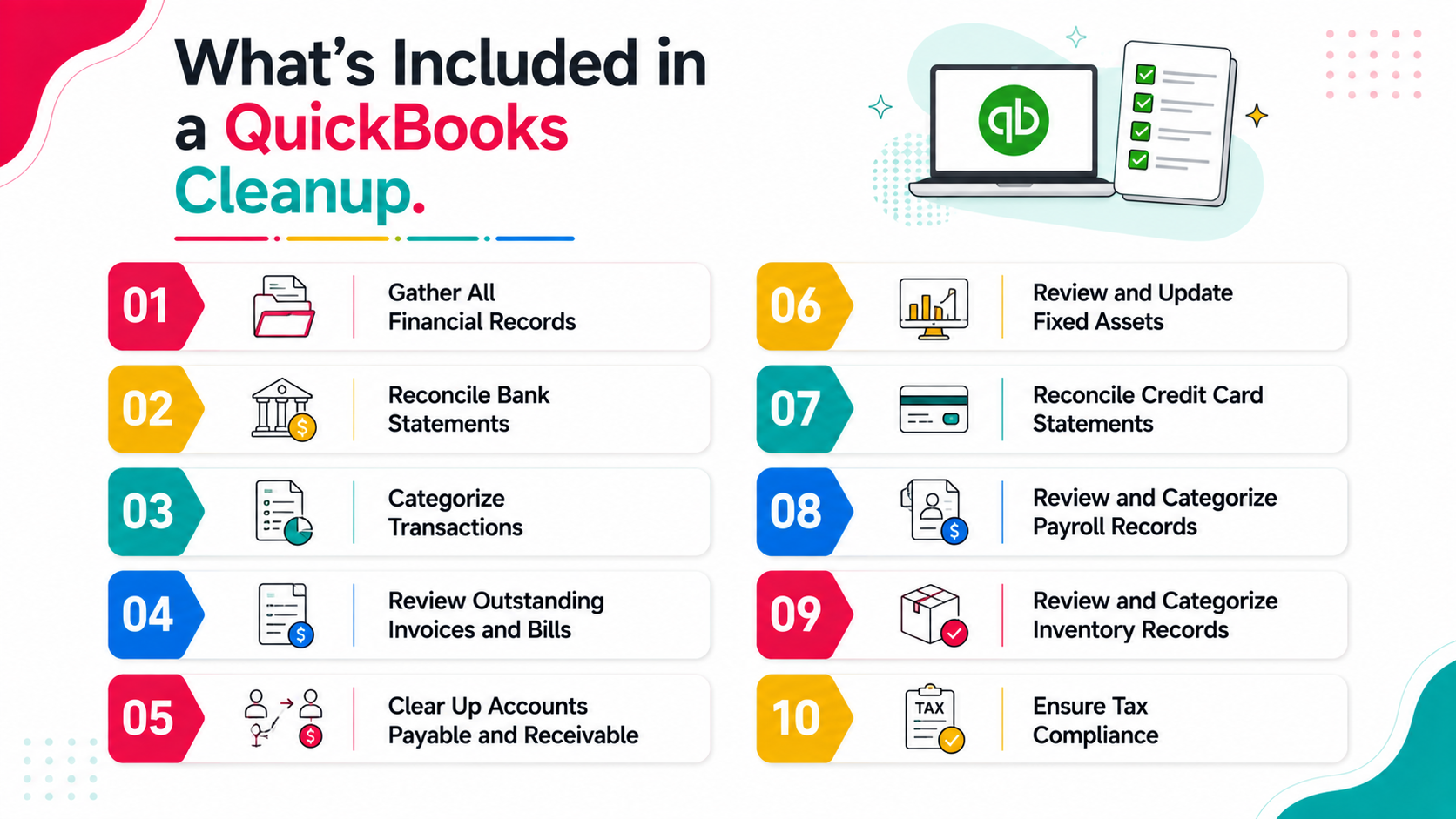
1. Gather All Financial Records
Cleanup starts by collecting every financial record needed to reconstruct an accurate picture: bank statements, credit card statements, payroll records, loan documents, and any existing accounting records the business already has on hand.
2. Reconcile Bank Statements
Every bank account gets reconciled against actual bank statements, ensuring each transaction in the QuickBooks file matches what the bank actually shows. Learning how to reconcile accounts consistently, and keeping financial data current as you go, is the foundation everything else builds on, and it's also what gives an accurate, real-time view of cash flow rather than a guess based on outdated information. This foundational step catches errors that would otherwise distort every downstream report and is the single most common item flagged during a pre-cleanup audit.
3. Categorize Transactions
Every transaction gets reviewed and correctly categorized, correcting miscoded expenses or income and clearing out anything still sitting as an uncategorized transaction. Recording transactions accurately from this point forward, and categorizing transactions accurately during cleanup, is what allows your profit and loss statement to reflect what's actually happening in the business rather than an inflated or understated version of reality.
4. Review Outstanding Invoices and Bills
Unpaid invoices and outstanding bills get reviewed line by line, closing out anything already paid but not marked as such, and flagging genuinely outstanding amounts that still need collection or payment.
5. Clear Up Accounts Payable and Receivable
Beyond individual invoices, the full accounts payable and accounts receivable picture gets reconciled, so the balances reported actually reflect what the business owes and is owed, rather than inflated or outdated figures.
6. Review and Update Fixed Assets
Fixed assets get checked against the balance sheet, confirming depreciation has been calculated correctly and that any disposed assets have been removed from the accounting records rather than left showing incorrect value.
7. Reconcile Credit Card Statements
Credit card accounts go through the same reconciliation as bank accounts, matching every charge against the actual card statement and correcting any duplicate transactions or missed entries.
8. Review and Categorize Payroll Records
If payroll wasn't recorded correctly, cleanup includes reconciling payroll records against actual payroll reports to ensure wages, tax liability, and benefits are recorded properly and consistently with what actually occurred.
9. Review and Categorize Inventory Records
For businesses carrying inventory, cleanup includes reviewing inventory records for accuracy, since inventory valuation errors compound over time and directly affect the accuracy of cost of goods sold.
10. Ensure Tax Compliance
Categorize Transactions Accurately
Correct categorization directly affects tax liability, since misclassified expenses can mean missed tax deductions or, worse, deductions claimed that shouldn't have been, both of which create risk during tax preparation and affect your overall tax return.
Eliminate Negative Numbers
Unexplained negative numbers on the balance sheet, such as negative accounts receivable or negative inventory, usually signal an underlying data entry error that needs to be traced back and corrected before the books can be considered clean.
Ensure Your Balance Sheet Balances
The final check confirms the balance sheet actually balances, with assets equal to liabilities plus equity. If it doesn't, that's a clear sign something in the cleanup process still needs attention before the file is truly accurate.
11. Backup Your Data
Before finalizing any cleanup, a full backup of the corrected QuickBooks file should be saved, giving the business a clean restore point and protecting the work that's just been completed.
12. Schedule Regular Bookkeeping Sessions
The final step of any cleanup process is setting a recurring schedule for ongoing bookkeeping, since this is what prevents the same backlog from building up again and requiring another full cleanup down the road.
How Much Do QuickBooks Cleanup Services Cost?
Pricing depends heavily on how far behind the books are and how many transactions need review, but general ranges look like this across most providers in the market.
Light cleanup, 1 to 3 months behind, low transaction volume: Typically $300 to $800, suitable for businesses that fell slightly behind during a busy period but otherwise maintain reasonably organized accounting records.
Moderate cleanup, 3 to 6 months behind, moderate complexity: Typically $800 to $2,500, common for businesses transitioning between bookkeepers or recovering from a period of inconsistent attention to the QuickBooks file.
Extensive cleanup, 6+ months behind or multiple years, high transaction volume: Can range from $2,500 to $10,000 or more, reflecting the substantial time investment required to work through a significant backlog of unreconciled activity and messy books.
Some providers price cleanup as a flat project fee, while others bill hourly, typically ranging from $50 to $150 per hour depending on the complexity of issues found. One well known provider in this space, Certum, states that over 500 businesses have used their QuickBooks cleanup process, giving a sense of how common this service has become for small business owners.
Signs You Need to Clean Up Your Books
Your bank accounts haven't been reconciled in months. Unreconciled accounts are the clearest sign that errors and gaps have likely accumulated, since reconciling bank and reconciling accounts regularly is the primary check against inaccuracy in day to day bookkeeping.
You have a large amount of uncategorized transactions. A QuickBooks file with dozens or hundreds of transactions sitting in Uncategorized Expense or Uncategorized Income is one of the clearest signals that a proper cleanup process is overdue.
Your financial reports don't match reality. If your profit and loss statement doesn't reflect what you know to be true about business decisions and performance, something in the underlying accounting records needs correction.
You recently switched bookkeepers or accounting staff. New bookkeepers often inherit a data file with inconsistent methods from the previous person, requiring cleanup before ongoing work can proceed smoothly and reliably.
Tax season is approaching and your books aren't tax ready. Cleanup before tax preparation prevents costly errors or missed deductions that could otherwise affect your tax return and overall tax liability.
You're applying for a loan or seeking investment. Lenders and investors expect clean, accurate financial reports, making cleanup a necessary step before these conversations can proceed productively.
You've noticed duplicate transactions or unexplained discrepancies. Even without a formal audit, business owners often sense when something in their accounts doesn't add up, and this instinct is usually worth investigating right away.
How Long Does a QuickBooks Cleanup Take?
QuickBooks cleanup typically takes 1 to 8 weeks depending on scope, and understanding this range helps set realistic expectations before starting the process.
Books that are 1 to 3 months behind are usually fixed in 1 to 2 weeks, since low transaction volume and a shorter time period both keep the cleanup process relatively contained. Moderate cleanup, covering 3 to 6 months, usually takes 2 to 4 weeks to complete thoroughly. Extensive cleanup covering a year or more of transactions can take 4 to 8 weeks or longer, depending on transaction volume and how much documentation is readily available.
Timelines also depend on how quickly you can provide missing documentation, like bank statements or receipts, when questions arise during the process, since delays on the business owner's side often extend the overall project timeline beyond initial estimates.
What to Look for in a QuickBooks Cleanup Provider
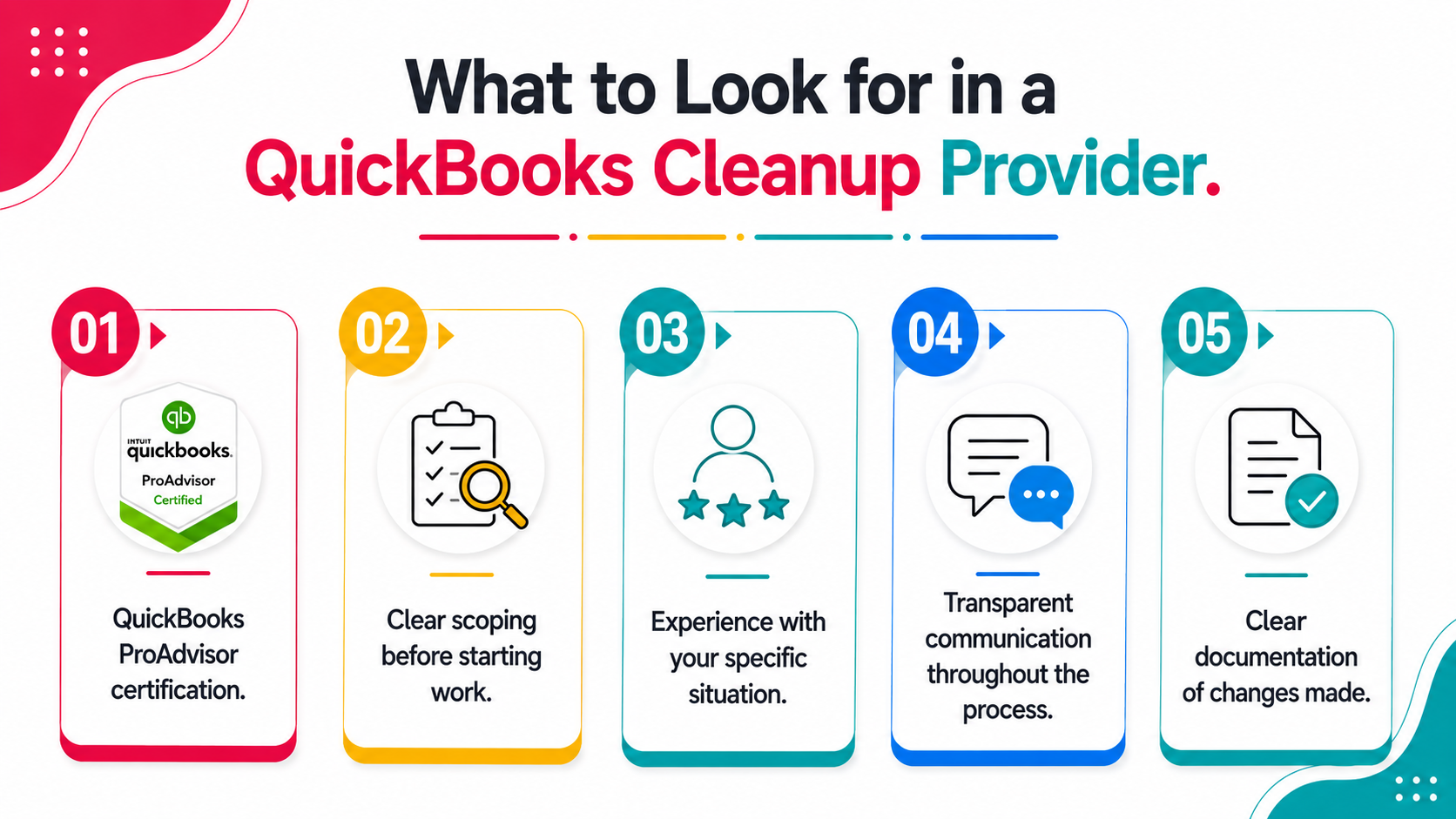
QuickBooks ProAdvisor certification. This certification indicates the provider has verified expertise specifically with QuickBooks software, not just general bookkeeping knowledge that may not translate directly to the platform's specific quirks and workflows.
Clear scoping before starting work. A reputable provider reviews your existing QuickBooks file first and gives you a specific quote based on what they find during that file review, rather than a vague estimate that could expand significantly once work is underway.
Experience with your specific situation. If you're cleaning up after a bookkeeper transition versus catching up messy books from scratch, look for a provider with relevant experience in that exact scenario.
Transparent communication throughout the process. Cleanup often surfaces questions that only the business owner can answer, so look for a provider who communicates clearly rather than making assumptions that could introduce new errors into the accounting records.
Clear documentation of changes made. A good provider should be able to explain what they changed in the QuickBooks file and why, giving you confidence in the final result and a record you can reference if questions arise later.
DIY Cleanup vs. Hiring a Professional
Some business owners attempt cleanup themselves, particularly for lighter situations with straightforward transactions and manageable complexity in their own bookkeeping.
DIY cleanup can work if you have accounting knowledge, relatively few transactions, and time to dedicate to reconciling accounts and clearing uncategorized transactions yourself. It carries real risk if errors go unnoticed, since incorrect self-cleanup can create new problems that are harder to identify and fix later, sometimes turning a manageable mess into deeper financial chaos.
Professional cleanup makes sense when transaction volume is high, the timeline is tight, or you lack confidence in correctly identifying and fixing errors yourself, particularly for extensive or multi-year cleanup projects where the accounts payable and receivable picture has grown genuinely complicated.
What Happens After Cleanup Is Complete
Once cleanup is finished, most businesses move into ongoing monthly bookkeeping to maintain accuracy going forward, preventing the same backlog from building up again and demanding another close checklist review down the line.
A good cleanup provider will also flag any process issues that led to the mess in the first place, helping business owners avoid repeating the same problems, whether that's inconsistent categorization habits or long gaps between reconciling accounts.
Establishing a regular reconciliation schedule immediately after cleanup is one of the most effective ways to protect the investment you've just made in getting accurate financial records, and it's the difference between a one-time fix and genuinely working to regain control of your bookkeeping for good.
Clearing accounts on a monthly basis, rather than letting them pile up, is what keeps unnecessary stress from building back up. Many businesses also arrange ongoing support from their cleanup provider or a bookkeeper afterward, specifically to ensure accuracy continues rather than assuming the file will stay clean on its own.
Optimizing Your Tech Stack to Prevent Future Cleanups
Auto-Reconciliation and Bank Rules
Modern QuickBooks software supports bank rules that automatically categorize recurring transactions as they come in, meaning fewer items land in the uncategorized transactions bucket each month and less manual cleanup work accumulates over time.
Setting up these rules immediately after cleanup, while the correct categorization logic is still fresh, is one of the most effective ways to keep the books clean going forward without needing to think about it constantly.
Tips for Maintaining Your Bookkeeping System by Method
Pen and Paper
Businesses still tracking finances on paper face the highest risk of falling behind, since there's no automated reconciliation or bank feed to catch errors early, making periodic professional review especially important.
Spreadsheets
Spreadsheet-based tracking improves on paper but still relies entirely on manual entry accuracy, and small businesses using this method benefit from monthly reconciliation against actual bank statements to catch mistakes early.
Bookkeeping Software
Businesses using dedicated bookkeeping software like QuickBooks benefit most from automation, bank feeds, and rules that reduce manual work, but the software only helps if someone reviews the results regularly rather than assuming everything is correct by default.
Signs You Need to Clean Up Your Books (and Spend More Time Growing Your Business)
The ultimate goal of any cleanup process isn't just accurate accounting records for their own sake. It's freeing up time and mental energy that messy books otherwise consume, so business owners can focus on running and growing the business instead of untangling financial chaos.
Accurate bookkeeping and clean financial reports also help identify areas for cost savings and growth that would otherwise stay hidden inside a disorganized QuickBooks file, giving business owners a genuinely useful tool for decisions rather than just a compliance requirement. Without accurate data feeding into accurate reports, missed opportunities for savings or smarter pricing tend to go unnoticed until it's too late to act on them, and business owners are left making decisions without a clear, accurate picture of where the business actually stands.
Frequently Asked Questions
Can QuickBooks cleanup services fix multiple years of messy books?
Yes, though extensive multi-year cleanup takes longer and costs more due to the volume of transactions and documentation required to work through the full backlog accurately.
Do I need to provide anything before cleanup starts?
Typically bank statements, credit card statements, and access to your QuickBooks file. Additional documentation may be requested as questions arise during the file review process.
Will cleanup services also handle tax filing?
No, cleanup services correct the accounting records. Tax preparation and filing is typically a separate service, though clean, tax ready books make tax prep faster, more accurate, and less prone to costly errors on your tax return.
How do I know if my cleanup was done correctly?
Reconciled accounts, a balance sheet that balances, accurate financial reports that reflect known business performance, and a clean chart of accounts are good signs the cleanup was thorough and effective.
Can I run an automated check before committing to full manual cleanup?
Yes, automated diagnostic tools can identify specific issues in your QuickBooks file at a much lower cost, helping you understand the actual scope of work needed before committing to a larger manual project.
Conclusion
Related guides
- Start here: QuickBooks Cleanup: The Complete Guide
- Bookkeeping Cleanup Services: What's Included — What a bookkeeping cleanup engagement actually includes.
- QuickBooks Cleanup Service Cost — What cleanup work costs, and what drives the price up.
- Catch-Up Bookkeeping and How to Price It — How catch-up bookkeeping differs from cleanup, and how to price it.
Xenett Pulse runs an automated diagnostic on your QuickBooks file to show exactly what needs cleanup, before you pay for a manual review. Run a free diagnostic to see your results.