



Blog Summary
Accounts receivable in QuickBooks overstates assets silently. Old invoices stay open. Payments go unapplied. Customers with negative balances sit unnoticed. By the time someone investigates, the AR balance has been wrong for months.
In this guide:
- How accounts receivable works in QuickBooks Online
- What a properly managed AR looks like — and what it looks like when it breaks
- The AR aging report: how to read it and what the numbers mean
- The most common QuickBooks AR problems and how to fix each one
- How to catch AR issues automatically before they reach the financial statements
The accounts receivable balance is supposed to represent money the business is actively owed and will actually collect.
In most QuickBooks files, it represents something else entirely — a mix of current invoices, stale invoices from customers who left years ago, payments that were received but never applied correctly, and credit memos that offset amounts that do not match.
AR overstatement is one of the most common balance sheet problems in small business QuickBooks files. And it is one of the quietest. Nothing alerts you that an invoice from 2023 is still sitting open on a customer account. The AR balance just gets larger, month after month, while the business — and the firm managing the books — assumes the numbers are correct.
This guide covers how QuickBooks AR actually works, what breaks it, and how to maintain AR that reflects reality rather than history.
Part of our complete guide: complete QuickBooks bookkeeping guide
What Is Accounts Receivable in QuickBooks?
Accounts receivable in QuickBooks is the total amount of money currently owed to the business by its customers — represented by open invoices that have been created but not yet fully paid.
When you create an invoice in QBO, the system:- Debits Accounts Receivable (increasing the asset)- Credits the relevant income account (recording the revenue)
When the customer pays:- Debits the bank account or undeposited funds (recording the receipt)- Credits Accounts Receivable (reducing the balance)
When both entries exist and are matched correctly, the AR balance reflects only invoices that are genuinely open and awaiting payment.
The AR balance goes wrong when:- Payments are received but not applied to the correct invoice- Old invoices are never closed out through payment or write-off- Credit memos are created but not applied to open invoices- Invoices are duplicated — entered twice for the same service
Why AR Management Matters for CPA Firms
For CPA firms managing client books, inaccurate AR causes three specific problems:
Financial statement reliability. AR appears as a current asset on the balance sheet. When AR is overstated — because of old uncollectible invoices or unapplied payments — the asset position is wrong. Any decision based on that balance sheet is made with inaccurate information.
Cash flow misrepresentation. When AR includes invoices the business will never collect, the business appears healthier than it is. Cash flow projections built from AR data will be wrong. The business may make spending decisions based on receivables that will never materialize.
Tax implications. Uncollectible AR that is never written off inflates revenue recognition. When the business eventually stops pursuing an old invoice, writing it off correctly requires understanding the original entry — which is harder to reconstruct years later.
For CPA firms taking on new clients, unreviewed AR is one of the most common sources of unexpected cleanup work. An AR aging that shows $80,000 in receivables — of which $60,000 is over 90 days old — is not the same as an AR aging with $80,000 of current invoices. The scope of work, and the cleanup fee, should reflect the difference.
Who Is Responsible for AR in a CPA Firm Workflow?
In most CPA firm engagements, AR management responsibility is divided:
The most common gap: the bookkeeper creates invoices and records payments, but nobody reviews the AR aging regularly. Unapplied payments accumulate. Old invoices stay open. The balance grows without anyone noticing because the individual transactions all look correct.
When Should AR Be Reviewed — and How Often?
Weekly: Run the AR aging report and check for invoices moving into the 30-day past-due bucket. Follow up with customers before invoices age further.
Monthly (before close): Full AR review before signing off on the close. Any invoice over 60 days old needs an explanation. Any invoice over 90 days old needs a collection decision — active pursuit, payment plan, or write-off consideration.
At client onboarding: Before committing to scope and price, review the full AR aging. How much is current? How much is over 90 days? How much is genuinely uncollectible? The answers change the scope significantly.
At year-end: Review the full AR aging for write-off decisions. Any receivable the business has given up on collecting should be written off before year-end to avoid overstating income.
How to Run and Read the AR Aging Report in QBO
To run the report:Reports → Who Owes You → Accounts Receivable Aging Summary (or Detail)
The Summary version shows each customer's total balance broken into aging buckets. The Detail version shows every individual invoice — which customer, which invoice number, the date, and the amount.
Reading the aging buckets:
What the numbers tell you about the file:
A healthy AR aging has most of the balance in the current bucket and 1–30 days. When 50%+ of the AR balance is in the 60+ day buckets, the file has a combination of collection problems and bookkeeping problems — and they need to be separated before the close.
What Proper QuickBooks AR Management Looks Like
A properly managed QBO AR system has these characteristics:
All payments applied to specific invoicesPayments are never recorded as lump sums against the customer balance. Each payment is applied to the invoice or invoices it covers. The AR balance shows only genuinely unpaid invoices.
No unapplied customer creditsCustomer credits — from overpayments, credit memos, or returned products — are applied to open invoices within the same period they are created. Credits sitting unapplied inflate both the credit balance and the outstanding invoice balance simultaneously.
Invoices over 90 days have an action planEvery invoice over 90 days either has active collection efforts documented, a payment plan in place, or is flagged for write-off consideration. No invoice sits open past 90 days without a decision.
AR balance is reconciled to the aging at month-endThe total AR balance on the balance sheet equals the total of all open invoices in the AR aging report. If they do not match, there is a posting error that needs to be found before close.
No negative customer balances without explanationA negative customer balance means the customer has paid more than they owe — either an overpayment or an applied credit that exceeded the invoice. Negative balances need to be investigated and resolved, usually by applying the credit to a future invoice or issuing a refund.
Common QuickBooks AR Problems and How to Fix Them
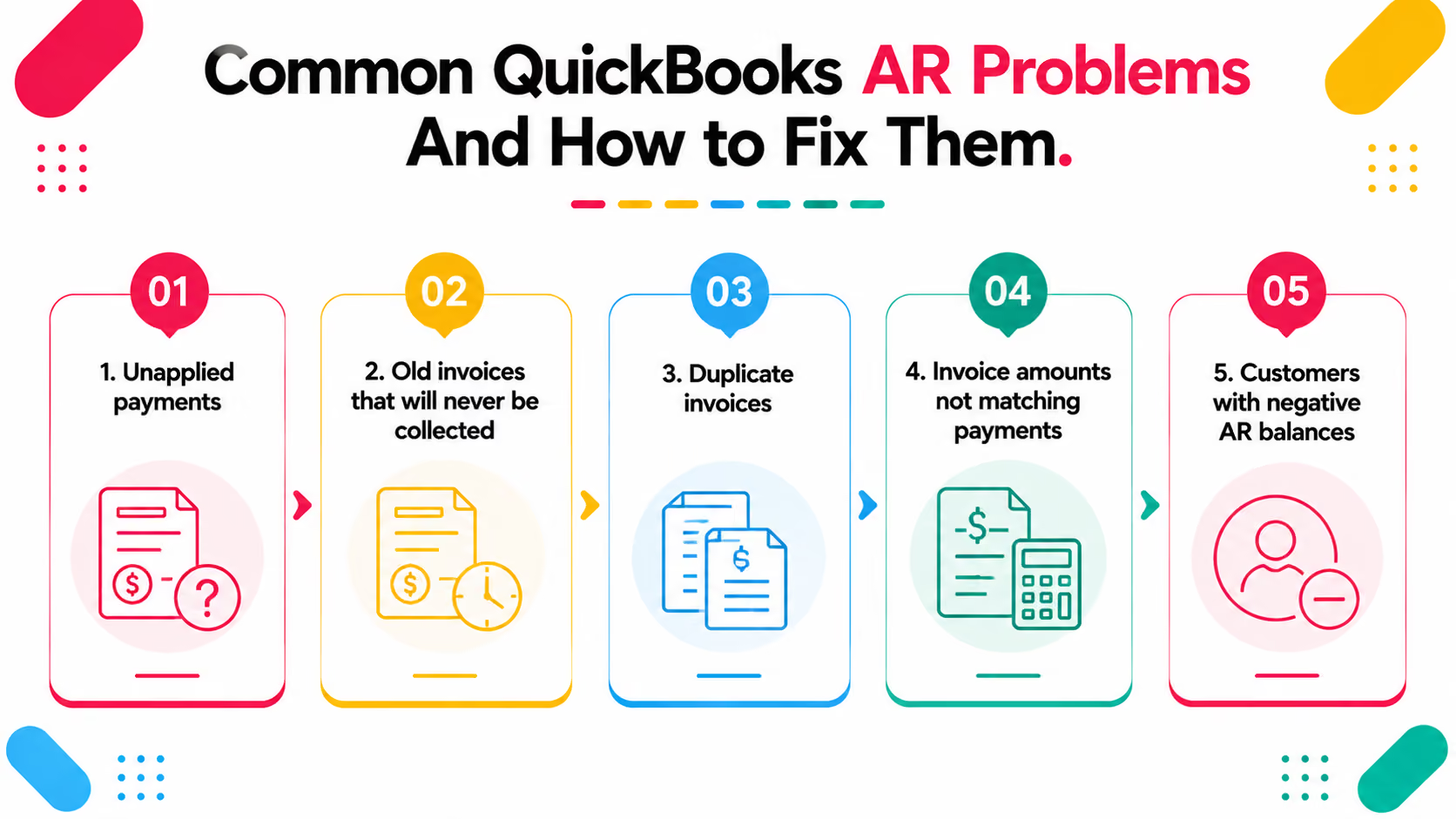
1. Unapplied paymentsPayment received, recorded in QBO, but not applied to a specific invoice. The AR balance stays high — both the payment (as a credit) and the invoice (as a debit) are sitting open simultaneously.
Fix: Go to the customer's account, find the open credits, and apply them to the correct invoice. If the invoice is not in QBO, investigate whether it was deleted or never created.
2. Old invoices that will never be collectedInvoices from customers who have closed, disputed the charge, or simply stopped responding — sitting open indefinitely, inflating AR.
Fix: Write off uncollectible invoices using a bad debt expense account. This removes them from AR and records the loss correctly.
3. Duplicate invoicesSame invoice entered twice — different invoice numbers, same amount, same customer, same date. Creates double the AR for a single transaction.
Fix: Void the duplicate invoice. Confirm the customer account balance before closing.
4. Invoice amounts not matching paymentsCustomer paid $1,847 but the invoice was for $1,850. The $3 difference sits as an open invoice indefinitely.
Fix: Create a credit memo for the difference and apply it to the invoice, or adjust the invoice amount if the original amount was wrong.
5. Customers with negative AR balancesCustomer has paid more than they owe. Could be an overpayment, a double payment, or a credit memo that was never applied to an invoice.
Fix: Investigate the source of the credit. Either apply it to a future invoice, issue a refund, or reclassify if it was recorded incorrectly.
How to Write Off Bad Debt in QuickBooks Online
When a receivable is genuinely uncollectible, it should be written off rather than left open indefinitely.
Step 1: Create a Bad Debt expense accountIf one does not exist in the chart of accounts, create an account named "Bad Debt Expense" with account type Expense.
Step 2: Create a product/service item for Bad DebtProducts and Services → New → Service → name it "Bad Debt" → link it to the Bad Debt Expense account.
Step 3: Create a credit memo+ New → Credit Memo → select the customer → select "Bad Debt" as the product/service → enter the amount of the uncollectible invoice.
Step 4: Apply the credit memo to the open invoiceIn the customer's account, apply the credit memo to the open invoice. The invoice closes. AR decreases. Bad Debt Expense increases.
Step 5: Document the write-off decisionNote who approved the write-off and why. This is important for tax purposes — the IRS requires that bad debts be documented as genuinely uncollectible.
Per IRS guidance, business bad debts are deductible in the year they become worthless. Proper documentation — collection attempts, customer communication, age of the invoice — supports the deduction.
A Scenario We See Often: AR That Has Not Moved in Two Years
A mid-size accounting firm takes on a home services company as a bookkeeping client. The company's QBO file showed $67,000 in total accounts receivable.
When the lead bookkeeper ran the AR aging detail, the picture was different:
- $15,000 was current — invoices from the last 30 days
- $52,000 was in the 90+ day bucket — some entries dating back to 2023
Of the $52,000 in aged AR:- $31,000 was from residential customers who had moved or were unresponsive- $14,000 was from two commercial clients who had disputed the charges two years earlier — disputes that were never resolved and never written off- $7,000 was unapplied customer credits sitting as credits against invoices that had already been paid
The client's business owner believed they had $67,000 in receivables. They had $15,000 in receivables they would realistically collect.
The corrected balance sheet showed $52,000 less in current assets. The write-offs generated $52,000 in bad debt expense — which changed the tax picture significantly.
The firm built a pre-onboarding AR review into their standard process. They now run a Xenett Pulse diagnostic on every new client file — which surfaces aged AR as a finding before any engagement letter is signed.
How Xenett Pulse Flags AR Issues Automatically
Xenett Pulse includes accounts receivable as one of its 20 diagnostic categories. When Pulse scans a QuickBooks file, it checks:
- Invoices 90+ days old with no payment activity
- Unapplied customer payments and credits
- Customers with negative AR balances
- AR balance vs. aging report reconciliation
- Duplicate invoices for the same customer and period
These findings appear in the Books Health Score output — ranked by severity. A file with $50,000 in AR over 90 days receives a different risk rating than one with current, well-managed receivables.
For CPA firms, this means:
Before any new client engagement, run a Pulse diagnostic and review the AR findings. Know what percentage of the AR balance is actually collectible. Adjust your scope, your pricing, and your cleanup plan accordingly — before the engagement letter goes out.
Sign up free at Xenett Pulse — run a diagnostic on your next QBO file and see the AR issues ranked by severity in under two minutes.
Conclusion
Accounts receivable in QuickBooks should reflect money the business will actually collect. When it does not — when old invoices stay open, payments go unapplied, and credits sit unmatched — the balance sheet tells a story that does not match reality.
The compounding nature of AR problems is what makes them costly. A $3,000 unapplied payment from January is a 5-minute fix in January. By December, it is buried under 11 months of additional transactions and may take hours to trace and correct.
The firms that maintain clean AR do not do anything sophisticated. They check the AR aging weekly. They apply payments to specific invoices, not lump sums. They investigate anything over 60 days before the month closes. And they make write-off decisions at year-end rather than carrying uncollectible invoices indefinitely.
For CPA firms onboarding new clients, reviewing AR before the engagement starts is not optional — it is how you protect your scope, your pricing, and your margin.
Frequently Asked Questions
What is accounts receivable in QuickBooks?
Accounts receivable in QuickBooks represents the total amount owed to the business by customers — open invoices that have been created but not yet paid. When an invoice is created, AR increases. When the customer pays and the payment is applied, AR decreases. The AR balance should reflect only invoices the business actively expects to collect.
How do I run the accounts receivable aging report in QuickBooks Online?
Go to Reports → Who Owes You → Accounts Receivable Aging Summary (for a total by customer) or Accounts Receivable Aging Detail (for individual invoices). Set the report date and aging period. The report shows AR balances broken into current, 1–30, 31–60, 61–90, and 90+ day buckets.
Why does my QuickBooks AR balance not match the aging report?
If the AR balance on the balance sheet does not match the total of the AR aging report, there is a posting error in the file. Common causes include transactions posted directly to the AR account (bypassing invoices), deleted invoices that left orphaned payments, or opening balance entries that were not set up correctly. The difference needs to be identified and corrected before the close.
How do I write off bad debt in QuickBooks Online?
Create a bad debt expense account and a "Bad Debt" service item linked to it. Then create a credit memo for the uncollectible invoice amount and apply it to the open invoice. This closes the invoice, reduces AR, and records the bad debt expense correctly. Document the write-off decision for tax purposes.
What causes negative customer balances in QuickBooks AR?
Negative customer balances occur when the customer has more credits than open invoices — usually from an overpayment, a double payment, or a credit memo that was never applied to an invoice. Negative balances should be investigated and resolved by either applying the credit to a future invoice or issuing a refund.
How old is too old for an open invoice in QuickBooks?
Any invoice over 90 days without payment or collection activity needs a decision — either active collection, a payment plan, or write-off consideration. Invoices over 90 days that will clearly never be collected should be written off promptly rather than left open indefinitely, which overstates assets and complicates future periods.
How does Xenett Pulse help with accounts receivable issues?
Xenett Pulse scans the QuickBooks AR as part of its 20-point diagnostic. It flags invoices 90+ days old, unapplied customer payments and credits, negative customer balances, and AR-to-aging reconciliation gaps — all ranked by severity in the Books Health Score. For CPA firms, this surfaces AR problems before onboarding, so scope and pricing reflect the actual state of the books rather than what the client reported.
Related guides
- Start here: QuickBooks Bookkeeping: What Clean Books Look Like
- QuickBooks Chart of Accounts — How to structure the chart of accounts so coding stays clean.
- QuickBooks General Ledger Review — How to review the general ledger and what errors to look for.
- Undeposited Funds in QuickBooks — Why undeposited funds builds up and how to clear it correctly.