



Blog Summary
- A thorough QuickBooks Online cleanup checklist covers bank reconciliation, transaction categorization, chart of accounts organization, inventory data, and financial statement review.
- Following a comprehensive checklist ensures nothing gets missed, whether you're doing the work yourself or reviewing a client's books.
- Reconciliation forms the foundation of the entire cleanup process, since errors here cascade into every other area.
- The post-cleanup section determines whether the cleanup was a one-time fix or the start of a sustainable bookkeeping practice.
- Automated diagnostic tools can flag specific issues in minutes, giving a starting point before deciding how much manual review is needed.
Why a Checklist Matters for QuickBooks Online Cleanup
Cleanup work involves many interconnected steps, and skipping one often creates problems that surface later, sometimes after you've already considered the cleanup finished and moved on to relying on the numbers for decisions that affect your business's financial health.
A structured checklist ensures every area gets reviewed systematically, rather than relying on memory or addressing only the most obvious issues first while overlooking less visible but equally important areas. For anyone regularly running QBO cleanup for clients, a proven system also makes cleanup jobs more consistent and easier to scope up front, since a comprehensive checklist replaces guesswork with a repeatable process.
This checklist works whether you're cleaning up your own books or reviewing work completed by someone else, giving you a clear standard to check against regardless of who performed the actual cleanup work.
Part of our complete guide: complete QuickBooks cleanup guide
Common Triggers That Signal a Cleanup Is Needed
Certain patterns show up again and again before a business realizes its QBO files need attention. Recognizing them early can prevent what feels like a daunting task from growing into a much bigger one.
Missing transactions, uncleared transactions, and a growing pile in Uncategorized are usually the first sign. So are overdue payments that no longer match what accounts receivable actually shows, undeposited funds that were never cleared out, and a balance sheet that clearly doesn't reflect the business's real financial position. If a bookkeeper or tax preparer hasn't touched the file in months, or if data entry has been inconsistent across multiple people, that's typically enough to justify a full pass through this checklist rather than a quick spot check.
Pre-Cleanup Checklist: Gather Your Financial Records
Before starting the actual cleanup work, gather what you'll need to make the process as efficient as possible and avoid delays caused by missing financial documents.
- Bank statements for the full period needing cleanup
- Credit card statements for the same period
- Payroll reports if payroll needs reconciliation
- Loan statements for any outstanding business loans
- Vendor invoices and any outstanding bills
- Access to QuickBooks Online with appropriate permissions
- A clear understanding of how far back cleanup needs to go, including whether historical data needs correcting for a prior tax return
Gathering all financial records up front, rather than mid-process, is one of the simplest ways to avoid unnecessary stress later in a cleanup project.
Bank and Credit Card Reconciliation Checklist
- Reconcile every bank account against monthly statements
- Reconcile every credit card account against monthly statements
- Investigate and resolve any reconciliation discrepancies
- Confirm beginning balances match the prior period's ending balance
- Check for duplicate transactions that may have been entered twice
- Review bank feeds for anything sitting unreviewed or auto-added incorrectly
This section forms the foundation of the entire cleanup process. Errors here cascade into every other area, so it's worth taking extra time to ensure this section is genuinely complete before moving forward. Reconciliation is also where most common errors first become visible, since a mismatched balance almost always points to something upstream.
Transaction Categorization Checklist
- Review all transactions coded to Uncategorized Expense or Uncategorized Income
- Review all transactions coded to Ask My Accountant
- Confirm large or unusual transactions are categorized correctly
- Check for personal and business expenses mistakenly mixed together
- Verify recurring transactions are consistently categorized across periods
- Confirm cost of goods sold entries are categorized separately from general operating expenses
Consistency matters as much as accuracy in this section. A transaction type categorized correctly in January but incorrectly in March creates confusing trend data even if each individual entry seems reasonable in isolation. Accurate entries here directly determine whether income statements further down the line actually reflect business operations as they happened.
Chart of Accounts Checklist
- Identify and consolidate duplicate accounts
- Deactivate unused accounts rather than deleting them
- Confirm account names are clear and consistent
- Verify account types match how they're actually being used
- Organize accounts into logical groupings for cleaner, more reliable reporting
A well-organized chart of accounts pays dividends well beyond the immediate cleanup, making every future month of bookkeeping faster and every financial report easier to interpret at a glance, and giving the business a genuinely solid foundation to build on going forward.
Accounts Receivable Checklist
- Review all outstanding invoices for accuracy
- Close out invoices that have been paid but not marked as such
- Follow up on genuinely overdue payments
- Confirm customer payments are applied to the correct invoices
- Check for duplicate invoices sent in error
Accounts Payable Checklist
- Review all outstanding vendor invoices for accuracy
- Mark paid bills as paid if not already reflected
- Confirm remaining balances match actual amounts owed
- Check for duplicate bill entries
- Verify vendor information is current and accurate
Payroll Reconciliation Checklist
- Compare payroll reports against QuickBooks entries
- Confirm wages match across both sources
- Verify tax withholdings are recorded correctly
- Check that benefits and deductions are properly categorized
- Confirm payroll liabilities are accurately reflected on the balance sheet
Payroll reconciliation deserves particular attention since errors here can have compliance implications beyond just internal reporting accuracy, potentially affecting payroll tax filings and the accuracy of a client's business operations records more broadly.
Inventory Checklist
- Confirm inventory data in QuickBooks matches actual counts on hand
- Review cost of goods sold entries for accuracy against inventory movement
- Check for negative inventory quantities, which usually signal a timing or entry error
- Confirm inventory valuation method has been applied consistently across the period
- Investigate any inventory adjustments made without a documented reason
Inventory is one of the areas most likely to get skipped during a general cleanup, but for product-based businesses, uncorrected inventory data quietly distorts both the balance sheet and cost of goods sold on the income statement.
Fixed Assets Checklist
- Confirm all fixed assets are recorded on the balance sheet
- Verify depreciation has been calculated and entered if applicable
- Check for assets that have been disposed of but not removed from records
- Confirm asset values reflect accurate purchase costs
Tax Compliance Checklist
- Confirm categorization aligns with how items need to appear on the eventual tax return
- Reconcile QuickBooks data against Schedule L or equivalent supporting schedules where applicable
- Flag any transactions that could affect tax season deadlines if left unresolved
- Confirm the business has what it needs for the tax preparer to file without follow-up questions
- Note any entries that a tax preparer should review directly rather than assume are correct
Getting a file genuinely tax ready is often the real deadline driving a cleanup project, so this section deserves a final, dedicated pass even after the rest of the checklist looks complete.
Final Review Checklist
- Generate a profit and loss statement for the cleaned period
- Generate a balance sheet for the cleaned period and confirm balance sheet balances tie out with no unexplained variance
- Generate a cash flow statement for the cleaned period
- Compare reports against your own knowledge of the business's financial health
- Confirm all accounts are fully reconciled with no outstanding discrepancies
- Document any significant corrections made during the cleanup process, including any journal entries used to fix prior errors
Post-Cleanup Checklist
- Set a regular reconciliation schedule going forward, ideally monthly
- Establish clear categorization rules to prevent future Uncategorized transactions
- Review the chart of accounts periodically to prevent duplicate accumulation
- Back up your QuickBooks data or confirm your backup and audit-trail settings are enabled
- Set up or review bank rules so bank feeds categorize routine transactions automatically going forward
- Consider a periodic health check to catch small issues before they become large ones
The post-cleanup section is often the most overlooked part of the process, yet it's what determines whether this cleanup was a one-time fix or the start of a genuinely sustainable bookkeeping practice going forward, and a clean slate that's actually maintained rather than one that quietly degrades again within a few months.
How to Use This Checklist Effectively
Work through sections in order, since later steps often depend on earlier ones being accurate. Reconciliation, for example, should happen before you dig into categorization review, since discrepancies often surface during reconciliation first and affect how you approach the categorization work that follows.
Don't skip sections that seem irrelevant to your business. Even businesses without significant fixed assets, inventory, or payroll should confirm those sections are genuinely not applicable rather than assuming so without checking, since assumptions here can lead to missed issues.
Consider working through this checklist with a second person reviewing your work, particularly for extensive cleanup projects, since a fresh set of eyes often catches things the person doing the primary work has become too close to notice.
Signs Your Cleanup Checklist Is Complete
You'll know cleanup is thorough when every checklist item has been addressed, financial statements reflect what you know to be true about the business, and reconciliation shows no unexplained discrepancies anywhere in the file. Reliable reporting at this point means income statements and the balance sheet can be handed to a tax preparer, lender, or investor without caveats.
If items remain unresolved or reports still seem off after working through this checklist, that's a sign either more time is needed on a specific section or a professional review would help catch what's been missed before you rely on these numbers for an important decision.
Optimizing Your Tech Stack to Prevent Future QBO Cleanup Projects
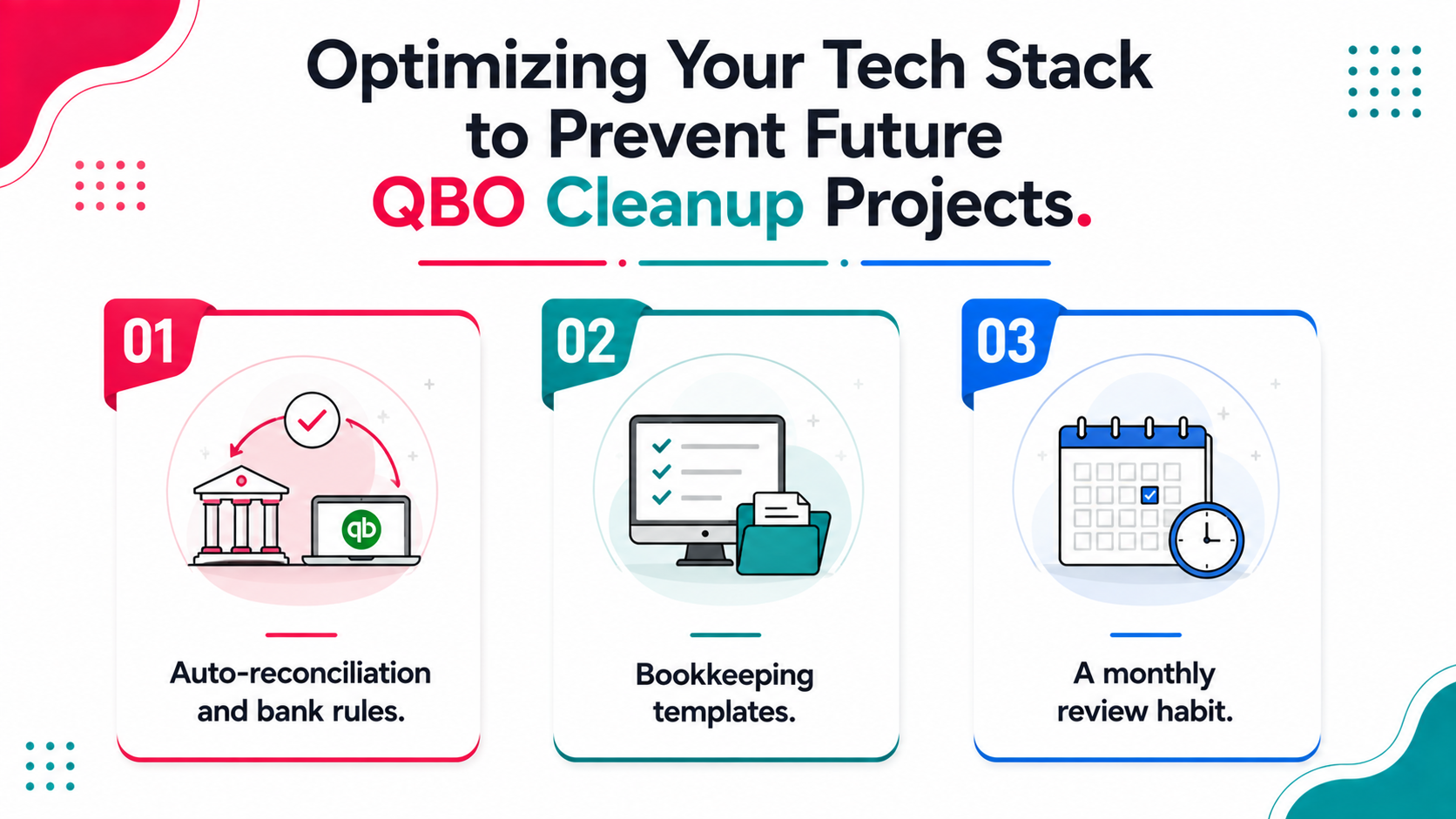
A one-time cleanup solves the immediate problem, but most QBO messes come back within a year if nothing changes about how transactions get entered day to day.
Auto-reconciliation and bank rules. Setting up bank rules so recurring vendor invoices and common transaction types get categorized automatically reduces the manual data entry that causes drift in the first place. Reviewing and refining these rules periodically, rather than setting them once and forgetting them, keeps categorization accurate as the business changes.
Bookkeeping templates. Standardizing how transactions get entered and documented, using consistent bookkeeping templates for recurring entries like payroll journal entries or month-end adjustments, reduces the chance of the same error type reappearing across periods.
A monthly review habit. A short monthly check of reconciliation status and any transactions sitting uncategorized prevents small issues from becoming a large project again, keeping the file consistently tax ready rather than requiring a scramble before every tax season.
Adapting This Checklist for Different Business Types
Service-based businesses without inventory can generally skip inventory-related reconciliation steps that would apply to a retail or product-based business, though the core reconciliation and categorization sections remain equally relevant.
Businesses with multiple locations or entities should run through this checklist separately for each QuickBooks file, since combining the review across entities can obscure issues specific to one location or business unit.
Businesses without payroll, such as those relying entirely on contractor payments, can skip the payroll section but should apply similar scrutiny to contractor payment reconciliation and 1099 tracking instead.
Customizing This Checklist for Your Specific Software Plan
QuickBooks Online offers different plan tiers, and the specific features available to you may slightly affect how certain checklist items apply to your situation.
Simple Start and Essentials plans generally support all the core reconciliation and categorization checklist items, though they may lack some of the more advanced reporting features referenced in the final review section.
Plus and Advanced plans typically include class and location tracking, which adds an additional layer worth checking during cleanup if your business uses these features to segment financial data by department, project, or location.
Payroll add-on considerations vary depending on whether you use QuickBooks' integrated payroll or a separate payroll system, which affects exactly how the payroll reconciliation section of this checklist should be approached.
Reviewing which specific plan and add-ons your business uses before starting cleanup helps you understand which checklist sections apply directly and which might need slight adaptation to your particular setup.
Common Questions That Arise During Each Checklist Section
Certain questions come up repeatedly as businesses work through this checklist, and addressing them proactively can save time during your own cleanup process.
During bank reconciliation, a common question is what to do when a transaction appears in QuickBooks but genuinely cannot be matched to any bank statement entry. This often indicates a duplicate entry that should be investigated and likely removed rather than assumed to be an unrelated valid transaction.
During categorization review, people frequently ask how to handle transactions that could reasonably fit multiple categories. In these cases, consistency matters more than perfection, so establishing a clear rule and applying it uniformly going forward matters more than debating the theoretically ideal categorization for every edge case.
During the chart of accounts review, a common question is whether to delete or deactivate unused accounts. Deactivating is almost always the better choice, since deletion can create gaps in historical reporting if that account had any transactions recorded against it previously, or if it's referenced in older journal entries that are no longer relevant to current operations but still matter for historical data.
How This Checklist Supports Ongoing Bookkeeping Quality
While this checklist is designed primarily for cleanup projects, the underlying principles translate directly into standards for maintaining clean books going forward, once the initial cleanup work is complete.
Consider adapting an abbreviated version of this checklist into a monthly bookkeeping routine, reviewing reconciliation status, watching for uncategorized transactions, and periodically checking the chart of accounts for any duplicates that may have crept back in over time.
Treating this checklist as a living document rather than a one-time cleanup exercise helps ensure the investment in getting your books accurate translates into lasting improvement, and massive value over time, rather than a temporary fix that gradually erodes without ongoing attention.
How to Involve an Accountant or Tax Preparer in Reviewing This Checklist
Even if you're comfortable handling most of the cleanup work yourself, having an accountant or tax preparer review the completed checklist before considering the process finished adds a valuable layer of confidence, especially with a tax return on the line.
An accountant can quickly scan reconciliation reports and financial statements for anything that looks unusual, often spotting issues in minutes that might take a non-professional considerably longer to identify on their own, even at the transaction level.
This kind of light-touch review costs far less than having an accountant handle the entire cleanup from scratch, while still providing meaningful assurance that nothing significant was missed during your own work through this checklist.
Keeping a Record of Completed Checklists Over Time
Saving a dated copy of this checklist each time you complete a cleanup or health check creates a useful historical record for your business, worth maintaining even after the immediate need has passed.
This record can help identify recurring patterns, such as the same category consistently needing correction, pointing to a process issue worth addressing directly, whether through better bank rules, revised bookkeeping templates, or additional training on data entry, rather than simply fixing the symptom each time it resurfaces.
Frequently Asked Questions
Should I follow this checklist even for a simple, recent cleanup?
Yes. Even light cleanup benefits from a structured approach, since skipping steps to save time often means missing something that surfaces later when you least expect it, sometimes right before a tax return is due.
How often should this checklist be used going forward?
Beyond an initial cleanup, running through key sections like reconciliation and categorization monthly helps prevent the need for extensive cleanup again in the future and keeps books consistently tax ready.
Can this checklist be used for QuickBooks Desktop as well as Online?
Most of the checklist applies to both versions, though specific navigation and tools differ slightly between QuickBooks Online and Desktop, so some adjustment to the specific steps may be needed.
What if I find an error I don't know how to fix?
Document the issue clearly and consider consulting a professional or running an automated diagnostic to get guidance on the correct resolution rather than guessing at a fix that could introduce new problems.
Is there a faster way to identify issues than working through this entire checklist manually?
Yes, automated diagnostic tools can scan your QuickBooks file and flag specific issues, including missing transactions, uncleared items, and common errors, in minutes, giving you a starting point before deciding how much manual review this checklist requires for your specific situation.
Conclusion
Related guides
- Start here: QuickBooks Cleanup: The Complete Guide
- QuickBooks Cleanup Checklist Before You Quote — The checklist to run before you quote, so scope is known up front.
- How to Clean Up QuickBooks Online — The firm-side workflow for cleaning up client QuickBooks files at scale.
- 5 Signs Your QuickBooks File Needs a Cleanup — The five warning signs a file needs cleanup before tax season.
Skip the manual checklist and let Xenett Pulse automatically diagnose your QuickBooks Online file in minutes. Run a free diagnostic report to see exactly what needs attention.